The AI chatbot revolution is definitely coming to your phone, making ChatGPT more accessible than ever. With mobile apps, voice assistant integrations, and embedded features, you can ask questions, get help, or just chat anytime, anywhere. Phone-specific optimizations and notifications boost convenience, creating a seamless AI experience that fits into your daily routines. If you keep exploring, you’ll discover how this evolving technology will transform how you interact on the go.
Key Takeaways
- ChatGPT is available on mobile devices via dedicated apps and browser access, enabling seamless on-the-go use.
- Integration with voice assistants like Siri and Google Assistant allows hands-free, natural language interactions.
- Embedding into messaging and productivity apps streamlines workflows and enhances mobile AI assistance.
- Mobile-specific features such as push notifications and voice input improve user experience and accessibility.
- Continuous improvements suggest a future where AI chatbots become deeply integrated into native phone functions.
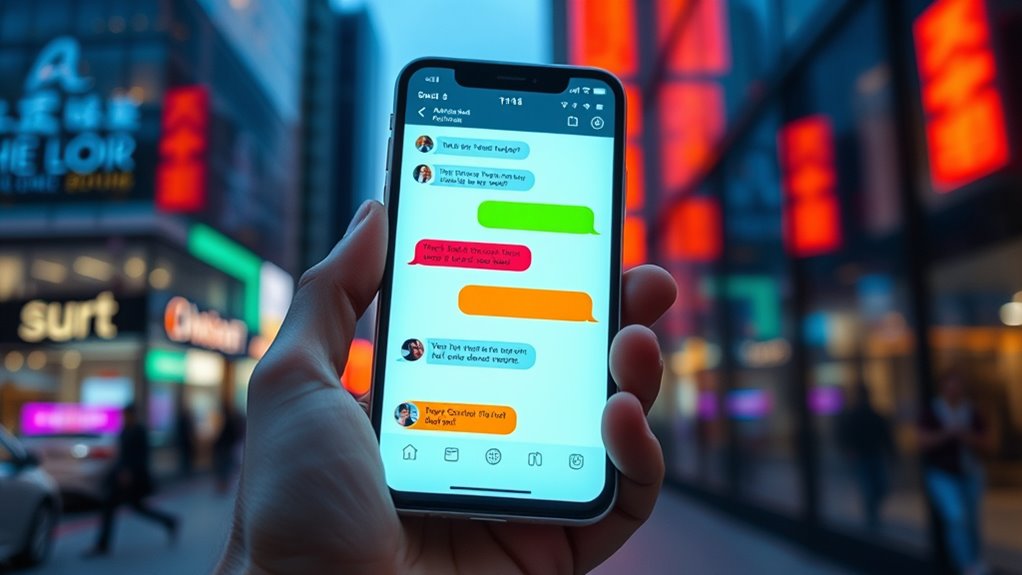
Have you ever wished to access ChatGPT anytime and anywhere? With the rise of ChatGPT mobile, that wish is starting to become a reality. Imagine having a powerful AI chatbot right at your fingertips, ready to help you brainstorm ideas, answer questions, or even draft messages, all from your smartphone. The key to this convenience lies in how seamlessly ChatGPT integrates with your device’s ecosystem, especially through voice assistants and app integrations. This means you no longer need to open a browser or switch between multiple apps to get the information you need; instead, you can activate ChatGPT through simple voice commands or within other apps you already use daily.
Access ChatGPT anytime, anywhere seamlessly via voice commands and app integrations on your mobile device.
Voice assistants, like Siri, Google Assistant, or Alexa, are becoming essential gateways to AI tools. Developers are working on integrating ChatGPT into these platforms, allowing you to invoke the chatbot through natural language commands. For example, you might say, “Hey Siri, ask ChatGPT for a healthy dinner recipe,” and get an instant response. This hands-free approach makes it extremely convenient to access AI-powered assistance while commuting, cooking, or multitasking. Moreover, app integrations are expanding, allowing ChatGPT to be embedded directly into messaging apps, note-taking platforms, and productivity tools. These integrations mean you can ask ChatGPT questions or seek advice without leaving the app you’re already engaged with, streamlining your workflow.
The mobile version of ChatGPT also offers a dedicated app, designed to optimize the user experience for smaller screens. This app provides quick access to conversation history, personalized settings, and new features that leverage the mobile environment. With push notifications, you can stay updated on responses or prompts from ChatGPT, making interactions more dynamic and timely. The app also supports features like voice input, so you can speak your questions instead of typing, which is especially handy on the go. As app integrations improve, ChatGPT is becoming more embedded within the tools you rely on daily, reducing friction and making AI assistance more intuitive. Additionally, mobile app development is focused on enhancing the user interface and experience, ensuring it’s as seamless as possible.
All these advancements point toward a future where AI chatbots are more accessible than ever, directly integrated into your phone’s native functions. As developers continue to refine how ChatGPT interacts with voice assistants and other apps, your ability to get instant, contextual help will only grow. Whether you’re looking for quick answers, creative inspiration, or just a friendly chat, ChatGPT mobile is paving the way for a more connected, efficient experience. The AI chatbot revolution isn’t just coming—it’s already here, fitting snugly into the palm of your hand.

GPT AI Chat: ChatGPT Chatbot
- Powered by GPT-4: Advanced AI language model
- AI Art Creation: Generate AI-based artwork
- Ask Anything: Interact with AI for any query
As an affiliate, we earn on qualifying purchases.
As an affiliate, we earn on qualifying purchases.
Frequently Asked Questions
Will Chatgpt Mobile Work Offline?
ChatGPT Mobile currently doesn’t offer offline capabilities, so you’ll need an internet connection to use it. This means you can’t access the AI chatbot without being online. However, this setup helps guarantee data security since your conversations stay on your device and aren’t stored on servers. If offline access becomes available in the future, it could enhance privacy and convenience, but for now, staying connected is essential for using ChatGPT Mobile.
How Secure Is My Data on Chatgpt Mobile?
Imagine your personal conversations locked behind a vault—that’s how secure your data is on ChatGPT Mobile. Your information benefits from data encryption, making it difficult for outsiders to access. However, always review privacy policies to understand how your data is stored and used. While the platform takes security seriously, staying informed and cautious helps protect your privacy in this digital age.
Can Chatgpt Mobile Understand Multiple Languages?
Yes, ChatGPT Mobile can understand multiple languages thanks to its multilingual support and language detection features. When you type in different languages, it automatically detects the language you’re using and responds appropriately. This makes conversations seamless, whether you switch between languages or use a less common one. You can confidently communicate in your preferred language, knowing the app adapts quickly and accurately to your multilingual needs.
Is There a Subscription Fee for Chatgpt Mobile?
Yes, there is a subscription cost for ChatGPT Mobile. You’ll need to pay a monthly fee to access premium features, which varies depending on the plan you choose. Payment options typically include credit/debit cards and other digital payment methods. If you want uninterrupted access or advanced capabilities, subscribing guarantees you get the most out of ChatGPT on your phone without interruptions or limits.
How Does Chatgpt Mobile Compare to Desktop Versions?
You’ll find ChatGPT Mobile’s user interface streamlined for on-the-go use, making it easy to navigate compared to desktop versions. App performance is optimized for your phone’s hardware, ensuring quick responses and smooth interactions. While the core features stay consistent, the mobile app adapts to smaller screens and touch input, offering a more convenient experience. Overall, ChatGPT Mobile is designed to be efficient, user-friendly, and tailored for mobile use.

AI Smart Glasses with Real-Time Language Translation & 4K Camera | ChatGPT Powered Voice Assistant, Open Ear Headphones, Object Recognition & 3600mAh Charging Case for Travel & Content Creation
- AI Object Recognition: Identifies objects and text hands-free
- Real-Time Language Translation: Instant dialogue and speech translation
- Voice Control: Operate with AI voice commands
As an affiliate, we earn on qualifying purchases.
As an affiliate, we earn on qualifying purchases.
Conclusion
So, are you ready to embrace the future? With ChatGPT mobile, you can chat anytime, anywhere. You can explore new ideas, solve problems, and stay connected like never before. You can access your potential, enhance your daily life, and experience innovation firsthand. The AI revolution is at your fingertips. Stay curious, stay inspired, and let this technology empower you to be your best, every moment, everywhere.
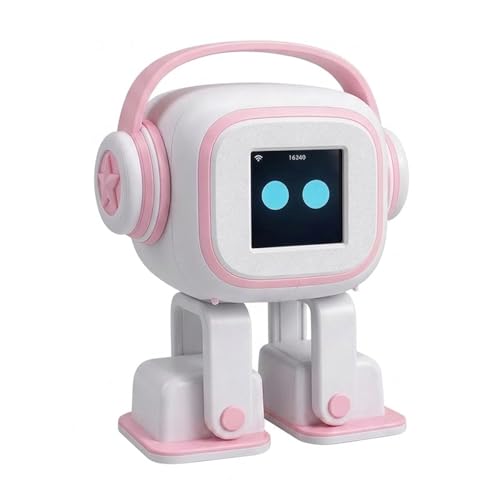
AI Chatbot | Emotional Interaction, Singing and Dancing, Emojis, Companion
- Emotional AI Interaction: Responds to conversations and emotions
- Singing and Dancing: Performs music and dance routines
- Festive Gift Idea: Ideal for birthdays and holidays
As an affiliate, we earn on qualifying purchases.
As an affiliate, we earn on qualifying purchases.

Blackview GPS Smart Watch for Men with ChatGPT, AI Translator, Compass & Flashlight/100-Day Battery/Bluetooth Calling/Health Monitor/100+ Sports,Fitness Tracker for iPhone/Android Phones
- AI Voice Assistant & Translator: Supports ChatGPT and real-time translation in 100+ languages
- Customizable AI Watch Face: Generate watch faces from a single sentence
- High-Precision GPS & Compass: Accurate location tracking and reliable orientation
As an affiliate, we earn on qualifying purchases.
As an affiliate, we earn on qualifying purchases.