To stay safe in online fitness classes on Zoom, start by using strong, unique passwords and enabling two-factor authentication. Be cautious about sharing personal details and keep your environment private by choosing a secure space and informing household members of your schedule. Review Zoom’s privacy settings and policies, and consider virtual backgrounds or turning off your camera if needed. Managing your surroundings and understanding platform privacy can make your workouts safer—more tips await to help you stay protected.
Key Takeaways
- Review Zoom’s privacy settings and customize them to limit data sharing and visibility.
- Use virtual backgrounds or turn off your camera if privacy is a concern.
- Avoid sharing personal information during the class and be cautious about what you display on screen.
- Keep your device software updated and enable two-factor authentication for added security.
- Read and understand the platform’s privacy policy to know how your data is collected and protected.

Privacy in Online Fitness Classes
Privacy in Online Fitness Classes
As online fitness classes become increasingly popular, your privacy concerns should be a top priority. When you join classes via platforms like Zoom, it’s essential to think about data security and how to protect your personal boundaries. With shared video feeds and the exchange of personal information, you need to be proactive in safeguarding your privacy. Taking steps to secure your data and establishing clear boundaries can help you enjoy your workouts without unnecessary worries.
Prioritize your privacy in online fitness classes by securing your data and setting clear boundaries.
First, prioritize your data security by understanding the privacy settings of your chosen platform. Always update your app and device software to the latest versions, as these updates often include security patches that protect against vulnerabilities. Use strong, unique passwords for your accounts, and enable two-factor authentication if available. Be cautious about sharing personal details—such as your full name, address, or contact information—unless absolutely necessary. The less personal information you reveal, the lower your risk of misuse or identity theft. Additionally, avoid clicking on suspicious links or downloading files from unknown sources, which could compromise your device’s security. Being aware of how your personal data is managed can further enhance your privacy protections.
Establish personal boundaries before joining any online class. Decide what you’re comfortable sharing on camera and what you prefer to keep private. If you don’t want your home environment visible, consider using a virtual background or turning off your camera altogether. Communicate your boundaries clearly with your instructor if needed, especially if certain exercises or discussions feel intrusive. Remember, you’re in control of your space and your privacy. It’s okay to mute your microphone when you’re not speaking and to turn off your camera if you don’t want to be seen. Setting these boundaries upfront helps create a safe and respectful environment for everyone.
Be mindful of your surroundings during workouts. Choose a private, secure space where you won’t be interrupted or overheard. If you’re sharing your home with others, let them know your workout schedule to avoid unexpected disruptions. This not only maintains your privacy but also helps you focus on your exercise without feeling exposed or vulnerable. Keep your devices in a secure location when not in use, and avoid leaving sensitive information visible on your screen.
Finally, stay informed about the privacy policies of your fitness platform. Read their terms carefully to understand how your data is collected, stored, and shared. If something feels off, don’t hesitate to switch to a platform with stronger privacy protections. Being vigilant about your data security and personal boundaries ensures that your online fitness experience remains safe, enjoyable, and respectful of your privacy. By taking these measures, you can confidently pursue your fitness goals without compromising your personal security.
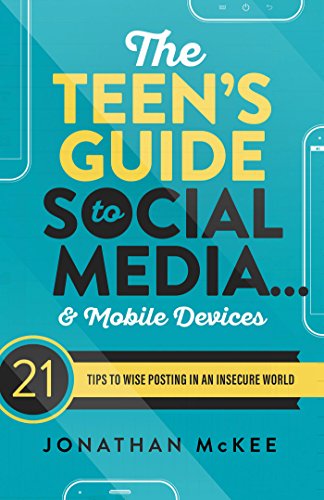
The Teen's Guide to Social Media… & Mobile Devices: 21 Tips to Wise Posting in an Insecure World
As an affiliate, we earn on qualifying purchases.
As an affiliate, we earn on qualifying purchases.
Frequently Asked Questions
How Can I Verify a Fitness Instructor’s Credentials Online?
To verify a fitness instructor’s credentials online, start with background checks to guarantee there are no red flags. Next, look for certification verification from reputable organizations like ACE or NASM. You can often find their credentials on their personal websites or social media profiles. Don’t hesitate to contact the certifying bodies directly to confirm their certifications. Doing these steps helps you confirm their qualifications and stay safe during online classes.
What Should I Do if I Experience Technical Issues During a Class?
If you experience technical issues during a class, start troubleshooting connectivity by checking your internet connection and restarting your device if needed. To secure audio, mute or unmute yourself as necessary and make sure your microphone is working properly. If problems persist, reach out to your instructor for help or try switching to a different device or network. Staying calm and proactive helps keep your workout on track.
Are There Specific Apps Better for Privacy Than Zoom?
If you’re concerned about privacy, consider alternative platforms like Jitsi or Signal, which often have stronger privacy policies and less data collection. These apps typically offer end-to-end encryption, ensuring your sessions stay private. Before switching, review each platform’s privacy policies to understand how your data is handled. Choosing apps with transparent policies helps protect your personal information while enjoying your fitness classes safely.
How Can I Prevent Others From Recording My Workout Sessions?
Did you know that 70% of online users worry about session privacy? To prevent others from recording your workout sessions, use platform features like disabling recording permissions or locking the meeting once everyone’s in. You can also request participants to refrain from recording and share only with trusted individuals. Always check your app’s settings for recording prevention options, ensuring your workout stays private and secure.
What Rights Do I Have Regarding My Personal Data Shared in Classes?
You have data privacy and consent rights regarding your personal data shared in classes. You’re entitled to know how your information is used and to give or withdraw consent at any time. Always read the privacy policies, ask instructors about data handling, and verify platforms comply with privacy laws. If you’re uncomfortable, you can request limited data sharing or opt out of certain features to protect your personal information.

YYNXSY 7X5FT Office Backdrop with Window Background for Video Conference Photography Studio Backdrop Screen Vinyl Material for Holiday Party Birthday Party Room Decoration YY-1003
- Size and Quality: 7×5 feet professional backdrop
- High Resolution Printing: Realistic, detailed digital images
- Lightweight and Easy to Install: Vinyl material for quick setup
As an affiliate, we earn on qualifying purchases.
As an affiliate, we earn on qualifying purchases.
Conclusion
Think of your online fitness class as a garden you’re tending. By setting boundaries and protecting your privacy, you’re watering your own safe space amid the vibrant blooms of activity. Just like a gardener guards their plants from weeds, you guard your personal info from unwanted eyes. With these tips, you’ll cultivate a secure environment where you can grow stronger, healthier, and confident—free to flourish in your virtual fitness journey.

Yubico – Security Key C NFC – Basic Compatibility – Multi-Factor authentication (MFA) Security Key and passkey, Connect via USB-C or NFC, FIDO Certified
- Security Protection: Protects against phishing attacks
- Wide Compatibility: Works with 1000+ accounts including Google, Microsoft, Apple
- Easy Authentication: USB-C plug-in or NFC tap for quick login
As an affiliate, we earn on qualifying purchases.
As an affiliate, we earn on qualifying purchases.

SightPro Magnetic Laptop Privacy Screen 14 Inch 16:10 – Patented Removable Laptop Privacy Filter Shield and Protector
- Magnetic Snap-on Attachment: Easy magnetic attachment and removal
- Compatible Dimensions: Fits 14.1-inch screens, verify measurements
- Enhanced Privacy: Blacks out side views, clear front view
As an affiliate, we earn on qualifying purchases.
As an affiliate, we earn on qualifying purchases.