To set up a great stream on a budget, focus on affordable lighting options like natural light or inexpensive LED panels, positioned at a 45-degree angle for softness. Use a budget-friendly USB microphone placed close to your mouth for clear sound, and stream in quiet spaces or with DIY soundproofing. Keep your background tidy and engage authentically. Want to learn more tips to maximize quality without overspending? Keep exploring for smart solutions.
Key Takeaways
- Use natural light or affordable LED panels positioned at 45 degrees for soft, professional-looking lighting.
- Opt for budget-friendly USB microphones placed close to your mouth to ensure clear audio.
- Utilize free or inexpensive streaming software with essential features like scene switching and overlays.
- Keep backgrounds tidy and engaging to enhance visual appeal without extra costs.
- Focus on authentic content and personality, prioritizing good lighting and sound over expensive equipment.
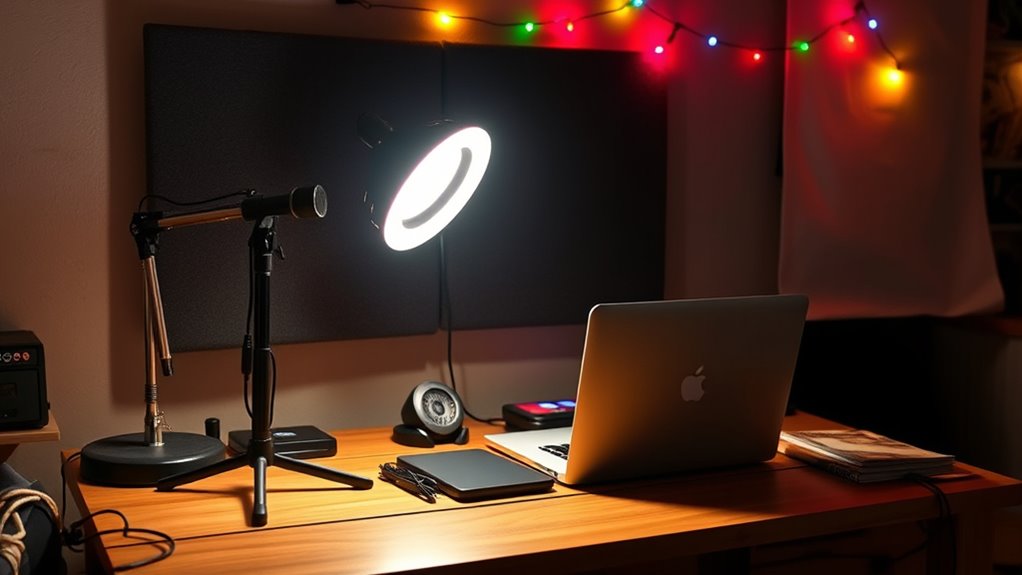
Are you tired of overspending on streaming services? If you’re looking to create a high-quality stream without draining your wallet, it’s all about making smart choices with your equipment and setup. You don’t need the most expensive gear to produce engaging content; instead, focus on essentials like your lighting setup and sound quality. These elements can notably impact how viewers perceive your stream, and the good news is, you can improve them without splurging.
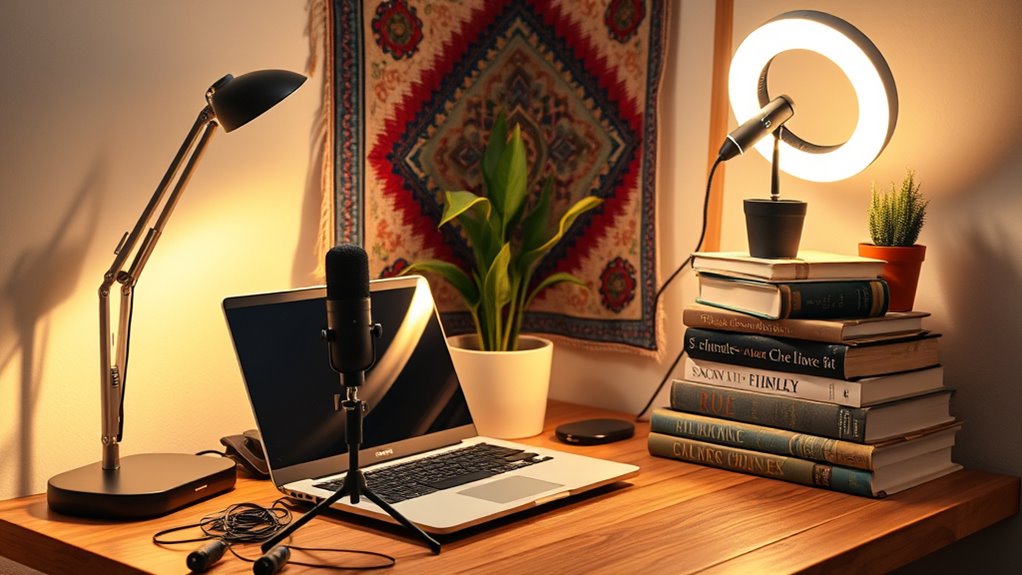
Start with your lighting setup. Proper lighting makes a huge difference, making your face and background clearer and more professional-looking. You don’t need fancy ring lights or expensive softboxes to achieve good lighting. Instead, consider using natural light during the day or purchasing affordable LED panels or clip-on lights. Position your light sources at a 45-degree angle to your face to avoid harsh shadows, and experiment with different angles to find what looks best. You can also DIY some solutions, like diffusing light with white fabric or paper to soften the glow. Good lighting doesn’t have to be costly; it just requires some creativity and positioning. Additionally, understanding projector contrast ratio can help you appreciate how lighting and image clarity affect your visual quality.
Good lighting is crucial—use natural light or affordable LEDs, and experiment with angles for a professional look.
Sound quality is equally critical. Poor audio can turn viewers away, even if your video looks great. You don’t need a top-tier microphone to sound professional, but you do want something better than your built-in laptop or webcam mic. Look for budget-friendly options like USB microphones, which deliver clear sound without breaking the bank. Position your mic close to your mouth to improve clarity and reduce background noise. Minimizing ambient noise can also help—try to stream in a quiet space and consider DIY soundproofing, like adding soft blankets or foam panels to absorb echoes. Additionally, use software noise suppression features to clean up your audio during editing or live streaming.
Beyond lighting and sound, focus on your overall setup. A decent camera, even a smartphone with good lighting, can produce impressive visuals. Keep your background tidy and engaging, and use free or inexpensive streaming software that offers essential features like scene switching and overlays. Engage with your audience authentically; your personality and consistency matter more than having the latest gear.
In the end, streaming on a budget is about resourcefulness. Prioritize your lighting setup and sound quality—they’re the pillars of a professional-looking stream. With some strategic investments and a bit of DIY ingenuity, you can create a compelling, high-quality stream that keeps viewers coming back—all without overspending.

NEEWER Basics 2 Pack LED Video Light Panel Lighting Kit, Bi Color Dimmable Portable Studio Lights with Stands & Filters, 3200K-5600K 750lux CRI95 for Video Recording Live Streaming Photography, BP66
【Introducing NEEWER BASICS】 Simple and practical, NEEWER BASICS is an economical product line that focuses on essential functions…
As an affiliate, we earn on qualifying purchases.
As an affiliate, we earn on qualifying purchases.
Frequently Asked Questions
What Are the Best Free Software Options for Streaming?
You should check out free streaming tools like OBS Studio and Streamlabs Desktop, which are excellent budget streaming software options. These tools offer powerful features, customizable overlays, and easy-to-use interfaces without costing a dime. They’re perfect for beginners and experienced streamers alike, helping you create high-quality streams without breaking the bank. With these free streaming tools, you get professional results without spending money on costly software.
How Can I Improve My Stream Quality Without Expensive Equipment?
Boost your broadcast brilliance by balancing camera positioning and lighting techniques. Position your camera for perfect framing, ensuring your face is well-lit and clear. Use natural light or affordable LED lights to brighten your backdrop without breaking your budget. Adjust angles and lighting to eliminate shadows and enhance clarity. With clever camera angles and cost-effective lighting, you’ll create a compelling, professional-looking stream that stands out without expensive equipment.
Are There Affordable Alternatives to Professional Streaming Microphones?
You can find affordable alternatives to professional streaming microphones by exploring DIY microphones and budget accessories. Try repurposing household items like a foam cup or a homemade windscreen, which can improve sound quality. Additionally, look for affordable condenser microphones or USB mics from brands known for budget-friendly options. These DIY solutions and budget accessories help you achieve decent audio without spending a fortune, making your stream more professional and engaging.
How Do I Promote My Stream on a Limited Budget?
Promoting your stream on a budget is like planting seeds in a small garden—you need time and care. Use social media platforms to share your content regularly, engaging with your community and responding to comments. Join relevant groups or forums, and collaborate with other streamers to expand your reach. Consistent community engagement builds loyalty, while authentic interactions help grow your audience without spending a dime.
What Common Streaming Mistakes Should I Avoid to Save Money?
You should avoid overpromising content, which can lead to higher costs and disappointment if you can’t deliver. Also, ignore audio quality at your own risk—poor sound can drive viewers away and waste your investment. Keep your setup simple and manageable, focusing on essential equipment. By staying realistic about what you can produce and prioritizing sound, you’ll save money and build a loyal audience without overspending.

FIFINE USB/XLR Dynamic Microphone for Podcast Recording, PC Computer Gaming Streaming Mic with RGB Light, Mute Button, Headphones Jack, Desktop Stand, Vocal Mic for Singing YouTube-AmpliGame AM8
[Natural Audio Clarity] Operated with frequency response of 50Hz-16KHz, the podcasting XLR mic delivers balanced audio range, likely…
As an affiliate, we earn on qualifying purchases.
As an affiliate, we earn on qualifying purchases.
Conclusion
Now that you know how to make the most of your budget, imagine what you could achieve with just a few more upgrades. The right gear and setup might be closer than you think—waiting to turn your stream from good to unforgettable. Are you ready to take that next step and access your full streaming potential? The secret isn’t out yet, but it’s coming. Stay tuned—you won’t want to miss what’s next.
DIY soundproofing materials for streaming
As an affiliate, we earn on qualifying purchases.
As an affiliate, we earn on qualifying purchases.

Amazon Basics 64-inch Extendable Tripod for iPhones and Smartphones, Selfie Stick Mode and Phone Tripod Mode, Black
Rotatable twist with 1/4"screw allows 360° adjustment and 180° flipping, so you can take photos, video call or…
As an affiliate, we earn on qualifying purchases.
As an affiliate, we earn on qualifying purchases.