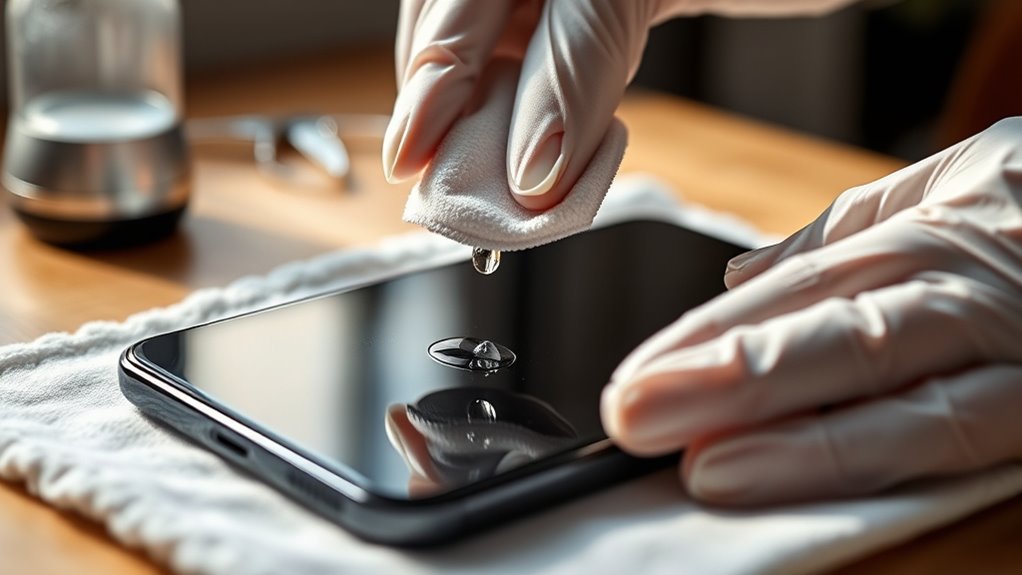

To clean your smartphone safely, start by using a soft, lint-free cloth slightly dampened with water and isopropyl alcohol, avoiding sprays directly on the device. Gently wipe the screen and edges, and use a soft brush or a dry toothbrush to remove debris from ports. Keep your environment clean and consider using an air purifier to reduce dust. For thorough cleaning, remove the screen protector periodically. Learn more tips to keep your device spotless without risking damage.
Key Takeaways
- Use a soft, lint-free cloth dampened with water and isopropyl alcohol to gently clean the screen and remove smudges.
- Avoid spraying liquids directly onto the device; instead, apply them to a cloth to prevent moisture damage.
- Regularly clean around edges and ports with a soft brush or compressed air to dislodge debris safely.
- Remove the screen protector periodically for thorough cleaning following manufacturer instructions.
- Maintain a clean environment and consider using an air purifier to minimize dust and dirt buildup on your smartphone.
microfiber screen cleaning cloth for smartphones
As an affiliate, we earn on qualifying purchases.
As an affiliate, we earn on qualifying purchases.
Effective Tips for Safe Smartphone Cleaning

Your smartphone goes everywhere with you, making it a prime surface for dirt, bacteria, and oils. Over time, these can build up on your screen and inside the charging ports, affecting both hygiene and device performance. Regular cleaning is essential, but you want to do it carefully to avoid damage. Starting with the screen, it’s wise to have a good-quality screen protector in place. Not only does it shield your display from scratches, but it also makes cleaning easier. When it’s time to wipe off smudges or dirt, use a soft, lint-free cloth slightly dampened with a mixture of water and a few drops of isopropyl alcohol. Never spray liquids directly onto your phone, as excess moisture can seep into open ports or beneath the screen protector. Instead, gently wipe the surface, paying special attention to the edges where dirt tends to accumulate. If your screen protector is removable, consider taking it off periodically for a more thorough clean, following the manufacturer’s instructions. This helps prevent dirt buildup beneath it, which can cause bubbles or lifting. Additionally, maintaining a clean environment around your device can reduce the amount of airborne dust settling on it, helping keep your phone cleaner for longer. Using an air purifier in your workspace can further improve the cleanliness of your environment and reduce dust settling on your device. Incorporating regular device maintenance into your routine can also help prevent long-term buildup and potential damage. Cleaning your charging ports is equally important, as dust, lint, and debris can clog them, leading to poor charging or connectivity issues. Use a soft brush, like a small paintbrush or a clean, dry toothbrush, to gently dislodge particles from the port openings. Avoid using sharp objects or metal tools, which can damage the delicate contacts inside. For stubborn dirt, a small amount of compressed air can blow debris out, but do so carefully—never hold the can too close or shake it while spraying. If you notice grime that won’t budge, lightly dampen a cotton swab with isopropyl alcohol and carefully clean around the port edges. Always ensure the port is completely dry before plugging in your charger again. Regular maintenance of your charging ports prevents buildup that could impair charging speed or cause internal corrosion. Additionally, being aware of air purifier maintenance guidelines can help you keep the environment around your devices cleaner and reduce airborne dust that might settle on your phone. Incorporating proper cleaning techniques can also help preserve your device’s color accuracy and overall performance over time. Consistent gentle care of your smartphone not only extends its lifespan but also contributes to a healthier hygienic environment for your daily routine.
isopropyl alcohol wipes for electronics
As an affiliate, we earn on qualifying purchases.
As an affiliate, we earn on qualifying purchases.
Frequently Asked Questions
Can I Use Alcohol-Based Wipes on My Smartphone?
Yes, you can use alcohol-based wipes on your smartphone, but do so carefully. Alcohol damage can occur if you use them too often or apply excessive pressure, risking damage to your screen or coating. Make sure to avoid harsh scrubbing, and use wipes sparingly to prevent screen residue buildup. Always check your device’s manufacturer guidelines, and consider using a slightly damp cloth instead to keep your phone clean without risking damage.
How Often Should I Clean My Smartphone?
You should clean your smartphone at least once a week to keep it free of dust and germs. Regular cleaning helps maintain the clarity of your screen protectors and prevents buildup that can affect touch sensitivity. Use a soft cloth for dust removal, and if needed, lightly dampen it with a screen-safe cleaner. This routine keeps your device fresh, clear, and functioning smoothly without risking damage.
Is It Safe to Submerge My Phone in Cleaning Solutions?
No, you shouldn’t submerge your phone in cleaning solutions. Liquid immersion risks damaging internal components, and harsh chemicals can erode screens or coatings. Like ancient alchemists, you might dream of a quick fix, but soaking your device isn’t safe. Instead, use a slightly damp microfiber cloth with gentle cleaning solutions, avoiding direct contact with ports. Protect your tech—keep cleaning solutions away from your phone’s delicate parts.
What Cleaning Tools Are Best for Screens?
For cleaning your screens, use a microfiber cloth to gently remove smudges and dust. Avoid harsh tools that can scratch or damage the surface. If you have screen protectors, clean around them carefully without applying too much pressure. Microfiber cloths are the best tool because they’re soft and effective, and they won’t scratch your screen or protectors. Keep your cleaning gentle to maintain clarity and prevent damage.
Will Cleaning Damage My Phone’s Water Resistance?
Cleaning your phone carefully shouldn’t harm its water resistance, but rushing or using harsh chemicals can increase water resistance concerns. If you use a soft cloth and avoid excessive moisture, the risks of cleaning damage are minimal. Remember, gentle cleaning preserves your device’s integrity. Keep in mind, even small lapses can compromise water resistance, so always handle cleaning with care to protect your phone’s waterproof features and avoid unnecessary damage.
As an affiliate, we earn on qualifying purchases.
Conclusion
Now that you know how to clean your smartphone safely, think of it as tending a delicate garden. Just like watering and pruning keeps plants healthy, gentle cleaning keeps your device shining and functioning smoothly. Remember, a little care goes a long way—skipping steps can cause damage, much like neglecting your plants. With these tips, you’ll keep your phone spotless and thriving, ready to serve you for years to come. Your device’s health is in your hands!
soft-bristled cleaning brush for smartphones
As an affiliate, we earn on qualifying purchases.
As an affiliate, we earn on qualifying purchases.