To work from home productively, rely on reliable collaboration tools like Zoom, Teams, or Slack to stay connected and organized. Set up an ergonomic workspace with a comfortable chair, a desk at eye level, and good lighting to enhance focus and comfort. Use high-quality tech such as a webcam and headset, and keep your environment clutter-free. Consistently maintain routines and tech updates—these tips will help you maximize your efficiency and comfort throughout your workday.

Get workout gear delivered free with Prime
- Fast, free delivery on millions of items
- Prime Video, Amazon Music and more included
- Member-only deals all year
Key Takeaways
- Use reliable collaboration tools like Zoom or Slack for seamless communication and project sharing.
- Set up an ergonomic workspace with proper lighting, adjustable chair, and monitor at eye level.
- Keep your technology updated and troubleshoot issues promptly to avoid disruptions.
- Schedule focused, agenda-driven meetings to maximize productivity and minimize time wastage.
- Take regular breaks, stretch, and maintain a dedicated workspace to boost focus and overall well-being.
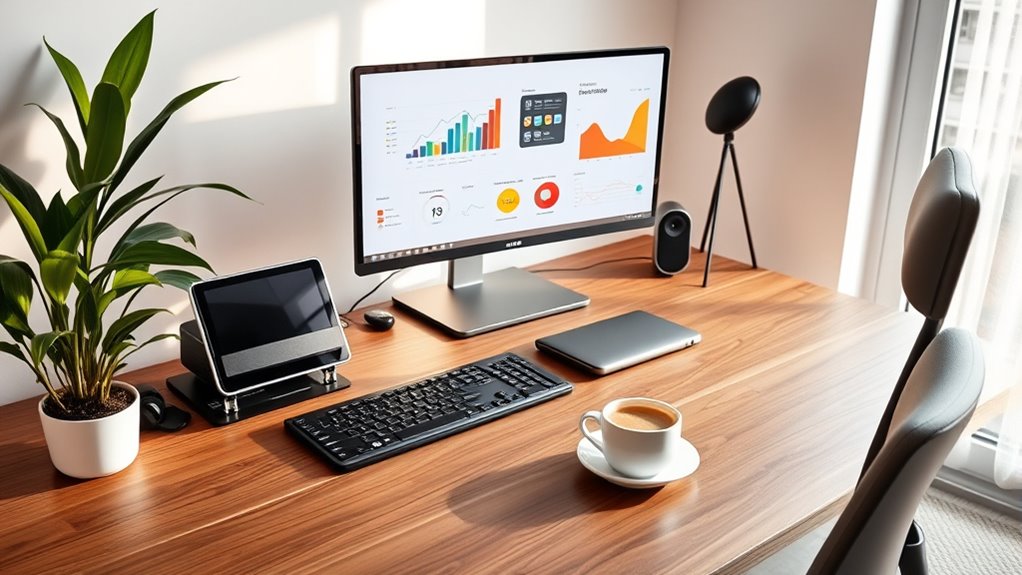
Working from home offers flexibility, but staying productive can be challenging without the right tech setup. One of the biggest hurdles is maintaining effective virtual collaboration. When you’re working remotely, you can’t rely on casual office chats or face-to-face meetings. Instead, you need reliable tools that facilitate real-time communication and teamwork. Invest in a high-quality webcam and a crisp microphone so you can participate clearly in video calls. Use platforms like Zoom, Microsoft Teams, or Slack to keep everyone connected. These tools make it easier to share ideas, ask questions, and stay aligned on projects. Remember, virtual collaboration isn’t just about having the right software—it’s about using it effectively. Schedule regular check-ins and set clear agendas to guarantee meetings stay productive. Also, encourage open communication channels where team members can share updates or voice concerns without feeling overwhelmed. Incorporating effective virtual collaboration tools can significantly enhance your remote work experience.
Another essential aspect is your ergonomic setup. When you’re comfortable, you can focus better and avoid health issues like back pain or eye strain. Start by choosing a sturdy desk and an adjustable chair that supports good posture. Your screen should be at eye level to prevent neck strain, and your keyboard and mouse should be positioned to keep your wrists straight. Proper lighting is equally important—aim for natural light or a well-placed lamp to reduce eye fatigue. Don’t forget to take regular breaks; sitting in the same position for hours can lead to discomfort. Incorporate standing or stretching intervals to promote circulation and reduce stiffness. Setting up an ergonomic workspace isn’t just about comfort; it directly impacts your productivity and overall well-being.
Finally, combine these two tips by creating a dedicated workspace that fosters both collaboration and comfort. When your environment is optimized for virtual teamwork and ergonomic health, you’ll find it easier to stay focused and motivated. Keep your tech updated, troubleshoot issues promptly, and invest in accessories like a good headset or monitor stand. These small improvements can make a big difference in your daily efficiency. Remember, working remotely requires intentionality—by prioritizing effective virtual collaboration and ergonomic setups, you build a foundation that supports sustained productivity. When your tools and environment work for you, staying disciplined and achieving your goals becomes much more manageable.
ergonomic office chair adjustable
As an affiliate, we earn on qualifying purchases.
As an affiliate, we earn on qualifying purchases.
Frequently Asked Questions
How Can I Stay Motivated During Long Remote Work Days?
To stay motivated during long remote work days, you should incorporate virtual coffee breaks to refresh your mind and maintain social connections. Set daily goals to keep your focus sharp and give yourself a sense of achievement. Break tasks into smaller steps and celebrate small wins. Remember to stand up, stretch, and stay hydrated. These habits help you stay energized and motivated throughout your work-from-home routine.
What Are the Best Ways to Manage Work-Life Boundaries?
To manage work-life boundaries, you need strong time management and self-discipline. Set clear start and end times for your workday, and stick to them as much as possible. Create a dedicated workspace to signal when you’re working. Take regular breaks to recharge, and avoid checking work emails outside of your designated hours. This helps you maintain a healthy balance and prevents work from bleeding into your personal life.
How Do I Troubleshoot Common Tech Issues Remotely?
When facing tech issues remotely, start with remote troubleshooting by checking your internet connection and restarting your device. Use built-in diagnostic tools or online guides to identify common problems. If needed, contact tech support through chat or email, providing detailed descriptions of your issue. Keep your software updated and ensure all cables are securely connected. This proactive approach helps resolve most issues quickly and keeps your workflow smooth.
Which Tools Enhance Virtual Team Collaboration?
To boost virtual team collaboration, you should use virtual whiteboards like Miro or Jamboard, which let everyone brainstorm and visualize ideas in real-time. Also, leverage file sharing platforms such as Google Drive or Dropbox for seamless document access and collaboration. These tools keep your team connected, improve communication, and streamline workflows, making remote work more efficient and engaging for everyone involved.
How Can I Reduce Distractions in a Home Environment?
To reduce distractions at home, start by creating an ergonomic setup that clearly separates your workspace from leisure areas. Use noise cancellation headphones to block out background noise and maintain focus. Keep your workspace tidy to minimize clutter, and set specific working hours to establish boundaries. Taking regular breaks also helps reset your concentration. These steps help you stay productive and minimize interruptions throughout your workday.
high quality webcam for video calls
As an affiliate, we earn on qualifying purchases.
As an affiliate, we earn on qualifying purchases.
Conclusion
By implementing these tech tips, you can boost your productivity and stay focused while working from home. Remember, over 70% of remote workers report increased efficiency when they set clear boundaries and optimize their tech tools. Stay disciplined, minimize distractions, and leverage the right technology to make your workday smoother. With a few simple adjustments, you’ll find yourself achieving more and feeling less overwhelmed in your home office.
As an affiliate, we earn on qualifying purchases.
noise cancelling headset for work
As an affiliate, we earn on qualifying purchases.
As an affiliate, we earn on qualifying purchases.
Fall Picks
fall essentials
As an affiliate, we earn on qualifying purchases.