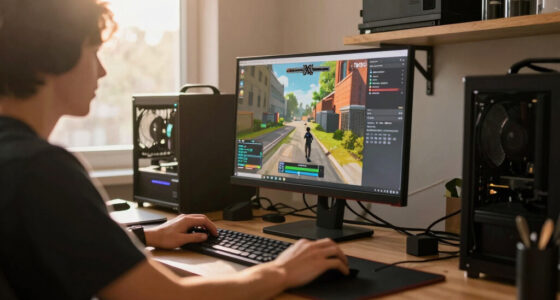
To reduce lag in online gaming, prioritize your network by using a wired Ethernet connection and enabling QoS settings to prioritize gaming traffic. Keep your device’s drivers and system software updated, close unnecessary background applications, and avoid downloads during gameplay. Upgrading hardware like RAM, SSD, and graphics card can also make a big difference. For more effective tips, explore how optimizing your setup can give you the edge and eliminate lag issues once and for all.

Get workout gear delivered free with Prime
- Fast, free delivery on millions of items
- Prime Video, Amazon Music and more included
- Member-only deals all year
Key Takeaways
- Use a wired Ethernet connection instead of Wi-Fi for lower latency and more stable gameplay.
- Prioritize gaming traffic on your router with QoS settings to allocate more bandwidth.
- Close background applications and downloads to free up system resources and bandwidth.
- Upgrade hardware components like RAM, CPU, or SSD to reduce lag spikes and load times.
- Keep device drivers, game patches, and system firmware up to date to enhance overall performance.
Have you ever experienced that frustrating delay during an online game, where your actions don’t register immediately or the game freezes unexpectedly? That’s the bane of lag, and it can turn an enjoyable gaming session into a frustrating ordeal. The good news is, there are practical steps you can take to reduce lag and improve your overall gaming experience. One of the most effective ways is by focusing on network optimization. Your internet connection plays a fundamental role in online gaming, so ensuring your network is running smoothly is essential. Start by prioritizing your gaming device on your network, which can be done through Quality of Service (QoS) settings on your router. This allocates more bandwidth to your gaming traffic, minimizing delays caused by other devices streaming videos or downloading files. Additionally, use a wired Ethernet connection instead of Wi-Fi whenever possible. Wired connections tend to be more stable and offer lower latency compared to wireless, which can be affected by interference or signal strength. Using a network analysis tool can help identify and troubleshoot connection issues more effectively.
Beyond optimizing your network, investing in hardware upgrades can markedly reduce lag. Outdated or underperforming hardware, like a slow CPU or insufficient RAM, can bottleneck your gaming performance and increase lag times. Upgrading to a more powerful processor or adding more RAM can guarantee your PC or console handles game data more efficiently, reducing delays. Also, consider upgrading your graphics card if you notice lag spikes during intense scenes; a better GPU can handle game rendering more swiftly, alleviating lag caused by hardware limitations. Don’t forget about storage; switching to an SSD (Solid State Drive) can decrease load times and prevent stuttering during gameplay, especially in games that load large assets on the fly.
Regularly updating your device drivers and game software can also help minimize lag. Developers often release patches that optimize performance and fix bugs that may cause lag spikes. Keeping your system’s firmware and network drivers current ensures you’re leveraging the latest improvements. Moreover, close unnecessary background applications that consume bandwidth or system resources. Streaming services, downloads, or other programs running in the background can hog your bandwidth and processing power, adding to lag issues.
Products Worth Considering

OMRON Complete 2-in-1 Upper Arm Blood Pressure Monitor with EKG

Garmin Forerunner 570 GPS Running Smartwatch, 42 mm, Whitestone/Cloud Blue

Blueair Blue Pure 211i Max Air Purifier for Large Rooms
As an affiliate, we earn on qualifying purchases.
Frequently Asked Questions
Can VPNS Improve My Online Gaming Connection?
Yes, VPN benefits can improve your gaming connection by reducing lag and ping issues. A VPN routes your traffic through optimized servers, often closer to game servers, which can lower latency. It also helps avoid bandwidth throttling from your ISP. However, choose a fast, reliable VPN provider designed for gaming to make certain it enhances your experience rather than slows it down. Properly used, a VPN can give you a smoother, more responsive gaming connection.
How Does Background App Usage Affect Lag?
Background app usage can substantially impact your gaming lag because these processes consume bandwidth and system resources. When you have multiple apps running simultaneously, it causes app multitasking that slows down your internet connection and CPU, leading to increased latency. To reduce lag, close unnecessary background processes before gaming. This frees up bandwidth and processing power, giving you a smoother, more responsive gaming experience without interruptions or delays.
Is Wired Internet Always Faster Than Wi-Fi?
Imagine a smooth, unbroken stream of water—wired internet offers you that certainty, making it generally faster than Wi-Fi. With wired connections, your internet remains stable and consistent, reducing lag spikes during intense gaming moments. Wi-Fi, like a wavering ripple, can be affected by interference and distance. So, if you want reliable speed and stability, going wired keeps your gaming experience seamless and lag-free.
Do Gaming Routers Reduce Lag Effectively?
Yes, gaming routers considerably reduce lag by prioritizing gaming traffic and providing a dedicated connection. They optimize your network for low latency, ensuring smoother gameplay. With features like Quality of Service (QoS) and faster data processing, gaming routers minimize delays and prevent lag spikes. Investing in a gaming router can make a noticeable difference, helping you stay competitive and enjoy a seamless online gaming experience.
Can Upgrading My Hardware Eliminate Lag Entirely?
Upgrading your hardware can substantially reduce lag, but it won’t eliminate it entirely. Better hardware, like faster processors and more RAM, helps your system handle game data more efficiently, minimizing delays. However, network issues, server problems, and internet connection quality also contribute to lag. To achieve the best possible performance, combine hardware upgrades with a strong internet connection and optimized settings. Remember, complete lag elimination isn’t guaranteed, but you can greatly improve your gaming experience.
Conclusion
Don’t let lag be the villain in your gaming story. By optimizing your internet, updating hardware, and closing unnecessary apps, you’re clearing the path for smoother gameplay. Think of it as tuning a race car—you’ll feel the difference in every move. When you tackle lag head-on, you turn a frustrating obstacle into just a minor bump in your gaming journey. Keep these tips in mind, and watch your gaming experience soar like a well-oiled machine.