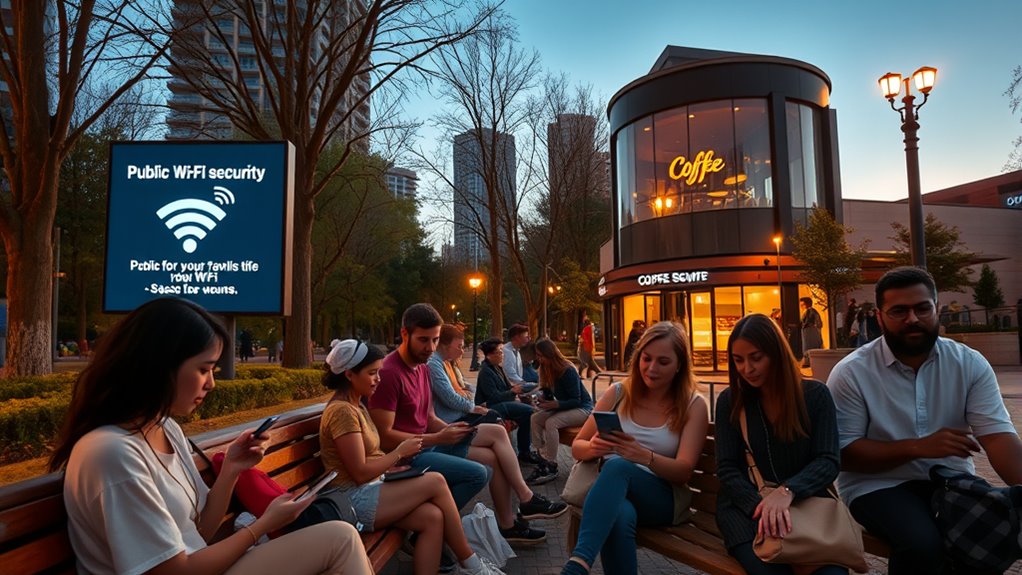

Public Wi-Fi networks can put your personal info at risk if you’re not careful. Hackers often set up fake hotspots or use tools to intercept your data, including passwords and banking details. To stay safe, use networks with encryption, avoid sensitive transactions, and consider a VPN to encrypt your traffic. Keep your devices updated and disable sharing options. Stay vigilant—knowing more can help you protect yourself better online.

Get workout gear delivered free — and shop member deals
- Fast, free delivery on millions of items
- Access to Prime Big Deal Days deals on October 6–7
- Prime Video, Amazon Music and more included
Key Takeaways
- Use secured networks with WPA2/WPA3 encryption and avoid sensitive activities on public Wi-Fi.
- Employ a VPN to encrypt your internet traffic and protect personal data from interception.
- Be cautious of fake hotspots and verify network legitimacy before connecting.
- Keep device security software updated and disable sharing options when using public networks.
- Limit sensitive transactions like online banking and shopping on unsecured Wi-Fi to reduce risks.

Have you ever connected to a public Wi-Fi network without thinking about the risks? It’s tempting—free, accessible, and often convenient when you’re on the go. But these networks can pose serious cybersecurity threats that you often overlook in the moment. When you log onto an unsecured Wi-Fi, you open yourself up to data interception, where malicious actors can potentially access your personal information without your knowledge. Cybercriminals frequently exploit these networks because they’re easy targets, waiting for users to transmit sensitive data like passwords, banking details, or personal emails. Once your data is intercepted, it can be stolen, misused, or sold on the dark web, causing significant harm to your privacy and finances. Implementing local automation and secure device configurations can help mitigate some risks associated with public Wi-Fi usage.
Understanding how data interception works is vital. When you connect to a public Wi-Fi network, your device communicates with the router to send and receive data. If the network isn’t secured properly, hackers can set up fake hotspots or use hacking tools to intercept this data as it travels across the network. They might use techniques such as packet sniffing, which involves capturing your transmitted data packets, or man-in-the-middle attacks, where they position themselves between you and the legitimate network to eavesdrop on your traffic. These tactics allow cybercriminals to access login credentials, credit card numbers, or confidential messages, often without you realizing anything is wrong until it’s too late.
To protect yourself from these threats, you need to be cautious every time you connect to a public Wi-Fi. Always look for networks that require a password and are encrypted—indicated by WPA2 or WPA3 security protocols. Avoid performing sensitive transactions, like online banking or shopping, over unsecured networks altogether. If you must access such sites, use a virtual private network (VPN), which encrypts your internet traffic and shields your data from potential interceptors. Also, make sure your device’s firewall and security software are up to date, making it harder for hackers to exploit vulnerabilities. Logging out of accounts after use and disabling sharing options can further reduce the risk of unauthorized access.
As an affiliate, we earn on qualifying purchases.
Frequently Asked Questions
Can Using a VPN Fully Protect Me on Public Wi-Fi?
Using a VPN doesn’t fully protect you on public Wi-Fi because encryption protocols can vary in strength, and some VPNs may have limitations. While a VPN encrypts your data and hides your IP address, it can’t prevent all cyber threats like malware or phishing. Stay safe by combining a VPN with strong passwords, updated software, and avoiding suspicious networks, because no single tool offers complete security.
Are There Specific Apps That Can Secure My Public Wi-Fi Connection?
Yes, you can secure your connection with specific Public Wi-Fi apps that emphasize Wi-Fi encryption. These apps actively assist in safeguarding your data by encrypting your connection, making it harder for hackers to access. Popular options include Wi-Fi security tools and VPN apps, which work together to enhance your security. Always choose reputable Public Wi-Fi apps that prioritize Wi-Fi encryption to protect your privacy and keep your online activities safe.
How Can I Tell if a Public Wi-Fi Network Is Secure?
You can tell if a public Wi-Fi network is secure by checking for network encryption, like WPA2 or WPA3, which indicates data is protected. Avoid open networks that lack encryption, as they’re more vulnerable to hacking. Look for networks with a padlock icon or ask staff if the connection is secured. Remember, open networks without encryption are risky, so use a VPN for added protection.
Does Public Wi-Fi Pose Risks to My Mobile Device’s Data?
Did you know that 60% of public Wi-Fi networks have vulnerabilities? Yes, public Wi-Fi can pose risks to your mobile device’s data because hackers exploit network vulnerabilities. Your device encryption might be strong, but if the network isn’t secure, your data could still be intercepted. Always use a VPN, avoid sensitive transactions on public Wi-Fi, and guarantee your device has updated security features to stay protected.
Are Public Wi-Fi Hotspots Safe for Online Banking?
Public Wi-Fi hotspots aren’t safe for online banking because they often lack strong encryption protocols, making your data vulnerable. Hackers can exploit weak security and monitor network activity to steal sensitive information. To stay protected, avoid banking on public networks or use a reliable VPN, which encrypts your connection and helps prevent unauthorized network monitoring. Always prioritize secure, private connections for sensitive transactions.
WPA2 WPA3 encrypted Wi-Fi router
As an affiliate, we earn on qualifying purchases.
As an affiliate, we earn on qualifying purchases.
Conclusion
While public Wi-Fi might seem like a free pass to the digital world, it’s more like walking through a minefield blindfolded. Protect your personal info like a precious gem, and stay vigilant. Think of your data as a fragile butterfly—easily caught and damaged if you’re not careful. By taking simple precautions, you can keep your online journey safe and secure, turning a risky road into a smooth, worry-free voyage. Stay alert, stay protected.
As an affiliate, we earn on qualifying purchases.
As an affiliate, we earn on qualifying purchases.
Fall Picks
fall essentials
As an affiliate, we earn on qualifying purchases.