
To extend your smartphone’s battery life, lower your screen brightness and enable auto-brightness, as the display is the biggest power drain. Turn off unnecessary features like Bluetooth, Wi-Fi, and location services when not in use, and reduce screen timeout duration. Use battery saver apps to optimize background activity, and manage app notifications to prevent unnecessary wake-ups. These simple, effective tips can make a noticeable difference—continue exploring for more ways to maximize your device’s power.
Key Takeaways
- Lower screen brightness and enable auto-brightness to reduce power consumption.
- Use battery saver apps to optimize background activity and disable unnecessary features.
- Close or uninstall power-hungry apps and disable notifications for less important ones.
- Turn on airplane mode in areas with poor reception to prevent battery drain.
- Limit screen timeout duration and turn off unused features like Bluetooth, Wi-Fi, and location services.
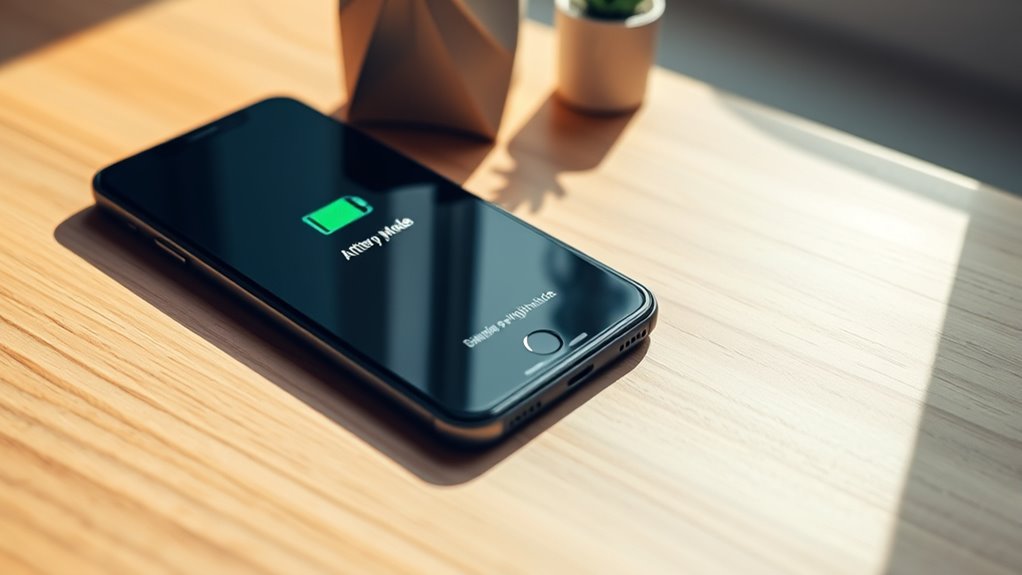
If you want your smartphone’s battery to last longer throughout the day, taking a few simple steps can make a big difference. One effective way is to manage your screen brightness. Your display consumes the most power, especially if it’s set to maximum. Lowering the brightness to a comfortable level can considerably extend your battery life. Many smartphones have auto-brightness features; enabling this allows the device to adjust brightness based on ambient lighting, saving power without sacrificing visibility. If auto-brightness isn’t enough, manually dimming your screen when you’re not outdoors or in well-lit environments can help conserve energy. Additionally, consider reducing the screen timeout duration so that your display turns off quickly when you’re not using it.
Managing screen brightness and enabling auto-brightness features can significantly extend your smartphone’s battery life.
Beyond adjusting screen brightness, leveraging battery saving apps can give you extra control over your device’s power consumption. These apps typically monitor your phone’s usage patterns and optimize settings automatically. They can disable background activities, restrict app refreshes, or turn off unnecessary features like Bluetooth, Wi-Fi, or location services when not needed. By doing so, they prevent apps from draining your battery in the background without your knowledge. Installing a reputable battery saver app can be a game-changer, especially if you often forget to close unused apps or turn off features manually. Keep in mind, though, that some apps may overstate their effectiveness, so choose one with good reviews and proven results.
Another tip is to identify and close apps that consume excessive power. Many smartphones provide built-in battery usage stats, showing which apps are draining your battery the fastest. If you notice an app using an unusual amount of power, consider closing it or uninstalling if it’s unnecessary. Also, disable notifications for less important apps, as constant alerts can wake your device and keep the screen active longer than needed. Turning off vibrate mode or haptic feedback can also save a tiny bit of energy, especially if you get lots of notifications. Furthermore, understanding how home theatre projectors utilize contrast ratios can help you optimize your viewing environment, indirectly conserving device power by reducing the need for high brightness settings.
Finally, consider turning on airplane mode when you’re in areas with poor reception. Your phone expends extra power trying to connect to weak signals, so switching to airplane mode keeps it from wasting energy searching for service. Overall, combining these strategies—adjusting screen brightness, using battery saving apps, managing app usage, and turning off features when possible—can dramatically extend your smartphone’s battery life. These simple, practical steps allow you to stay connected longer without constantly reaching for the charger.
Frequently Asked Questions
Does Using Airplane Mode Save Battery When Not in Use?
Yes, using airplane mode can save battery when you’re not using your phone. When you enable airplane mode, it disables your device’s signal strength, preventing it from constantly searching for a network. This reduces battery drain caused by weak signals or network searches. Keep in mind, though, you’ll lose all connectivity, so only use it when you don’t need calls, texts, or internet access to maximize battery life.
How Do Background App Refresh Settings Affect Battery Life?
Background app refresh settings directly impact your battery life by controlling how often apps update in the background. If you manage background app refresh, you can reduce unnecessary updates, saving power. Adjust app refresh frequency to a lower setting or disable it for less critical apps. This way, you limit background activity, which conserves battery and improves overall device performance. Managing these settings is a simple step toward extending your phone’s battery life.
Can Disabling Location Services Improve Battery Longevity?
Disabling location services can boost your battery life markedly—up to 50% in some cases. While it helps extend longevity, it’s essential to balance privacy concerns and app accuracy. When you turn off location services, apps may lose precision, but you protect your privacy and conserve power. If you don’t need GPS constantly, disabling it can be a smart move, giving your phone a longer battery life without sacrificing much app functionality.
Is It Better to Keep My Phone Charged Between 20-80%?
Keeping your phone charged between 20-80% is better for battery health and longevity. This habit helps prevent overcharging and deep discharges, which can harm your battery over time. Regularly practicing good charging habits aids in proper battery calibration, ensuring accurate battery readings. Avoid letting your battery drain completely or stay fully charged for too long, and you’ll maintain ideal performance and extend your device’s overall lifespan.
Do Newer Smartphone Models Have Inherently Better Battery Life?
Yes, newer smartphone models generally have better battery life thanks to increased battery capacity and advanced charging technology. Manufacturers optimize these phones with efficient processors and software improvements, helping you get more usage out of a single charge. Additionally, innovations like fast charging and wireless charging make maintaining your battery easier. As a result, newer devices tend to last longer between charges and recharge more quickly, enhancing your overall user experience.
Conclusion
By following these tips, you can breathe new life into your smartphone’s battery, turning it from a fleeting flame into a steady glow. Think of your battery as a delicate plant—nurture it with mindful habits, and it’ll flourish longer. Remember, small changes like adjusting brightness or closing unused apps are the keys to uncovering better battery performance. With a little care, your device’s power will last, keeping you connected without missing a beat.