

Bluetooth devices are convenient but can be vulnerable if not secured properly. Hackers exploit weak encryption, outdated firmware, and open connections for attacks like eavesdropping, bluejacking, or unauthorized access. Indicators like unusual device activity or battery drain can signal breaches. Ensuring your device’s security involves strong passwords, updates, disabling discoverability when not in use, and verifying trusted connections. To discover how to truly protect your wireless tech, keep exploring these essential tips.

Get workout gear delivered free — and shop member deals
- Fast, free delivery on millions of items
- Access to Prime Big Deal Days deals on October 6–7
- Prime Video, Amazon Music and more included
Key Takeaways
- Regularly update device firmware and software to patch security vulnerabilities and prevent exploits.
- Use strong, unique PINs and disable discoverability to reduce unauthorized pairing risks.
- Turn off Bluetooth when not in use to minimize attack surface and prevent potential breaches.
- Be cautious of unknown devices and monitor connection history for signs of unauthorized access.
- Enable encryption features and avoid default settings to strengthen wireless communication security.
As an affiliate, we earn on qualifying purchases.
How Bluetooth Works and Its Hidden Vulnerabilities

Bluetooth devices communicate by establishing short-range wireless connections using radio frequency signals. During wireless pairing, your devices exchange information to recognize each other and create a trusted link. This process often involves a simple code or automatic connection, making it quick and user-friendly. However, vulnerabilities exist because the data transferred isn’t always fully protected. Signal encryption is supposed to secure the communication, but not all devices implement it effectively, leaving potential gaps. Hackers can exploit these weaknesses to intercept data or gain unauthorized access. Understanding how Bluetooth works helps you recognize the importance of secure pairing methods and the need for updated device security features. Being aware of these hidden vulnerabilities allows you to better protect your wireless connections from potential threats. Additionally, weak spots like encryption gaps can be targeted by cybercriminals seeking to compromise your device security. For example, weak encryption protocols may be used to bypass security measures. Implementing strong authentication methods can further enhance your Bluetooth security and reduce security risks associated with Bluetooth technology. Staying informed about wireless security best practices ensures you’re better protected against emerging threats.
As an affiliate, we earn on qualifying purchases.
Common Bluetooth Attacks and How They Happen

Because many devices fail to implement strong security measures, hackers can exploit common Bluetooth vulnerabilities to launch attacks. One frequent method is wireless interception, where attackers eavesdrop on data being transmitted between devices. They may use specialized tools to listen in on Bluetooth communications, capturing sensitive information like passwords or personal data. Additionally, Bluetooth vulnerabilities can be exploited through outdated or unpatched firmware, making devices more susceptible to compromise. Regularly updating your device’s software security patches can significantly reduce these risks. Another attack is Bluejacking, where hackers send unsolicited messages to nearby devices, often as a prank or to deliver malicious links. Bluebugging allows them to take control of a device’s functions without permission, potentially accessing contacts, calls, or messages. These attacks exploit weak pairing protocols and unpatched Bluetooth vulnerabilities, making it easy for hackers to compromise your device. Recognizing how these common attacks happen is the first step to protecting yourself. Understanding Bluetooth security can help you identify and mitigate these risks before they happen. Implementing encryption protocols is also crucial for safeguarding your data during Bluetooth communication. Additionally, Wireless water therapy techniques are being explored for therapeutic benefits, but they are unrelated to Bluetooth security.
Bluetooth encryption security device
As an affiliate, we earn on qualifying purchases.
As an affiliate, we earn on qualifying purchases.
Recognizing Signs of Bluetooth Security Breaches

If you notice your device pairing with unfamiliar gadgets unexpectedly, it could be a sign of a security breach. Unusual data activity or sudden battery drain are also red flags that someone might be accessing your Bluetooth connection without permission. Stay alert to these signs to protect your devices from potential threats. Additionally, regularly reviewing your device’s pairing history can help identify unauthorized connections early. Being aware of support options for your Bluetooth devices can also assist in troubleshooting and securing your connections. Implementing security best practices such as updating device firmware and using strong, unique passwords can further safeguard your wireless connections. Regularly checking for vetted wave and wind security updates can help patch vulnerabilities and enhance overall safety. Understanding the importance of device manufacturer security protocols can also provide additional layers of protection.
Unexpected Device Pairing
Unexpected device pairings can be a clear sign that your Bluetooth security has been compromised. If you notice unfamiliar devices connecting to your phone or computer without your consent, it could be a case of device impersonation. Hackers often use this tactic to gain unauthorized access to your data or control your device remotely. These unexpected pairings may happen suddenly or repeatedly, even when you haven’t tried to connect to new devices. Stay alert if your device starts pairing with unknown gadgets or if you see unfamiliar names listed in your Bluetooth settings. Such signs indicate potential security breaches, and you should act immediately by removing suspicious devices, changing your Bluetooth settings, and running security scans to protect your personal information.
Unusual Data Activity
Unusual data activity is a clear indication that your Bluetooth security may be compromised. If you notice unexpected data transfers or unfamiliar files appearing on your device, it’s a red flag. Hackers can exploit Bluetooth connections to siphon data or inject malicious files without your knowledge. To spot signs of breach, monitor your device for patterns like sudden data spikes or unknown activity logs. Use the table below to understand common signs of unusual data behavior:
| Sign of Unusual Data | What It Means |
|---|---|
| Unexpected data transfer | Someone is accessing your device remotely |
| Unknown files or apps | Possible malware infiltration |
| Sudden spikes in data usage | Unauthorized data siphoning |
Staying informed about Bluetooth security measures can help you prevent these issues and protect your personal information. Regularly updating your device’s firmware can also enhance data protection and reduce vulnerabilities. Being aware of free floating security risks can help you better understand how unauthorized access occurs and ways to mitigate it. Recognizing the importance of device authentication can further strengthen your defenses against potential breaches. Understanding the security protocols involved in Bluetooth connections can enable you to implement more effective safeguards against intrusions.
Battery Drain Anomalies
Battery drain anomalies can be a strong indicator that your Bluetooth security has been breached. If your device’s battery performance suddenly worsens without explanation, it may be a sign of malicious activity. Hackers can run unauthorized processes, draining power and disrupting power efficiency efforts. Keep an eye out for these signs:
- Unexpected rapid battery loss
- Increased device overheating
- Apps or processes running in the background without your knowledge
These issues often point to unauthorized Bluetooth connections or malware exploiting your device’s Bluetooth functions. To protect yourself, regularly monitor your device’s battery health and disable Bluetooth when not in use. Recognizing these anomalies early can help you prevent potential security breaches and maintain ideal battery performance. Energetic alignment can also influence your device’s security and overall performance. Being aware of Bluetooth security vulnerabilities is essential for safeguarding your device from potential threats. Additionally, understanding how device encryption works can further bolster your defenses against unauthorized access.
Bluetooth discoverability blocker
As an affiliate, we earn on qualifying purchases.
As an affiliate, we earn on qualifying purchases.
Hidden Features and Settings That Might Compromise Your Privacy

You might not realize that some Bluetooth settings, like unsecured pairing options, can leave your devices vulnerable. Hidden discoverability features can make your device visible to anyone nearby, risking unwanted connections. Additionally, default privacy settings often aren’t strict enough, so reviewing and adjusting them is essential to protect your personal data.
Unsecured Pairing Options
Many devices offer pairing options that lack proper security measures, making them easy targets for hackers. These unsecured pairing options often rely on outdated or weak pairing protocols, exposing your devices to security vulnerabilities. When you enable these settings, anyone nearby could potentially connect without your knowledge or consent. Be cautious of features like “Just Works” or “No Passcode” options, which bypass authentication and leave your device exposed.
Key points to contemplate:
- Use secure pairing protocols that require authentication
- Avoid selecting open or unencrypted pairing methods
- Regularly update your device firmware to patch vulnerabilities
Hidden Device Discoverability
While securing your pairing methods is essential, overlooking device discoverability settings can leave your privacy vulnerable. Many devices have hidden features that control device visibility, which determines whether your Bluetooth appears to other nearby devices. If your device remains constantly discoverable, anyone within range can detect and attempt to connect, risking unwanted access. Signal concealment options can help you hide your device from casual scans, reducing the chances of unauthorized pairing. Be aware that some devices automatically switch to visible mode, especially during pairing, but forget to revert afterward. Regularly check and disable discoverability when not in use. Keeping your device hidden minimizes exposure, ensuring your Bluetooth remains private and protected from potential threats.
Default Privacy Settings
Default privacy settings on Bluetooth devices often prioritize convenience over security, which can inadvertently expose your device to risks. When default privacy is enabled, your device’s visibility is set to allow easy pairing, making it discoverable to nearby devices. However, this default device visibility can be exploited by hackers or unauthorized users. Be aware that:
- Devices may be set to always visible, increasing exposure
- Default privacy settings might not disable device discoverability automatically
- Some devices revert to less secure visibility modes after updates
To protect your privacy, review and adjust your default privacy settings regularly. Turning off device visibility or switching to hidden modes limits your exposure and reduces the risk of unwanted connections. Remember, default privacy isn’t always enough—customize it for better security.
Best Practices for Securing Your Bluetooth Devices
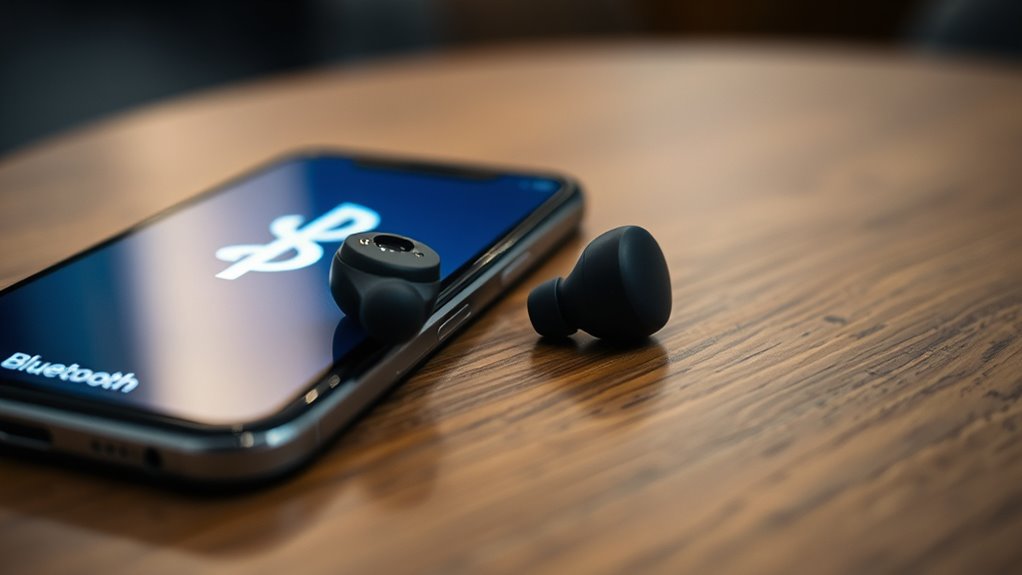
Securing your Bluetooth devices is essential to prevent unauthorized access and protect your personal data. Start by choosing strong, unique PINs or passkeys during device pairing, avoiding default codes that are easy to guess. Adjust your privacy settings to limit discoverability when not actively pairing, making your device less visible to nearby threats. Turn off Bluetooth when you’re not using it, reducing the risk of unwanted connections. Always verify the device you’re pairing with before accepting a connection, and avoid connecting to unfamiliar devices in public spaces. Regularly review and update your device’s privacy settings to guarantee they align with your security preferences. These simple steps can markedly reduce vulnerabilities and keep your Bluetooth connections safe.
The Role of Firmware and Software Updates in Bluetooth Security

Keeping your Bluetooth devices secure isn’t just about initial setup; regularly updating their firmware and software plays a essential role in maintaining safety. Firmware updates fix vulnerabilities, improve functionality, and patch security flaws that hackers could exploit. Software patches address bugs and strengthen defenses against new threats. Failing to update leaves your device vulnerable to attacks, such as unauthorized access or data theft. To stay protected, regularly check for updates from your device manufacturer and install them promptly. Remember, updates often include vital security enhancements that keep your Bluetooth connections safe. Prioritize these updates to ensure your device isn’t left exposed to known exploits. Staying current with firmware updates and software patches is one of the most effective ways to defend your wireless tech.
Future Trends and Innovations in Wireless Security

As wireless security continues to evolve, emerging technologies like artificial intelligence, blockchain, and quantum encryption are poised to transform how devices protect data and prevent breaches. Quantum encryption offers unparalleled security by leveraging quantum mechanics to create virtually unbreakable communication channels, making eavesdropping nearly impossible. Meanwhile, biometric authentication enhances user verification through unique identifiers like fingerprints or facial recognition, adding a robust layer of security. These innovations aim to stay ahead of increasingly sophisticated cyber threats, ensuring your wireless devices remain safe. As these technologies mature, you can expect more seamless, secure connections that adapt dynamically to threats, reducing your vulnerability to hacking and unauthorized access. Embracing these future trends will be key to maintaining your wireless privacy and security.
Practical Tips to Protect Your Devices From Bluetooth Threats

To effectively protect your devices from Bluetooth threats, start by turning off Bluetooth when you’re not using it. This minimizes exposure to potential attacks like eavesdropping or unauthorized pairing. Enable Bluetooth encryption whenever possible to secure data transmission and verify device authentication to confirm trusted connections.
Turn off Bluetooth when not in use, enable encryption, and verify device authenticity to stay protected.
Additionally, consider these tips:
- Keep your device’s software updated to patch security vulnerabilities.
- Avoid pairing with unknown or untrusted devices.
- Use strong, unique passcodes during device authentication.
Frequently Asked Questions
Can Bluetooth Be Hacked Without Pairing or User Interaction?
Yes, Bluetooth can be hacked without pairing or user interaction through vulnerabilities like Bluetooth pairing exploits or unpatched security flaws. Attackers may use techniques to gain unauthorized access, especially if your device has outdated firmware or weak security settings. To protect yourself, keep your Bluetooth updated, disable it when not in use, and avoid connecting to unknown devices. This minimizes the risk of unauthorized access and keeps your data safe.
Do All Bluetooth Devices Have the Same Security Vulnerabilities?
Like a fragile glass, not all Bluetooth devices share the same vulnerabilities. Some have stronger device encryption and regularly receive firmware updates, shielding you from threats. Others, however, may lack these protections, making them easier targets for hackers. You should check if your device gets updates and supports robust encryption, because staying informed and updating your tech keeps your wireless connections safer from potential attacks.
How Can I Detect if My Bluetooth Device Is Being Tracked?
You can detect if your Bluetooth device is being tracked by monitoring its Bluetooth privacy settings and unusual activity. Check for unknown or unexpected devices connected to your Bluetooth, and disable Bluetooth when not in use. Use privacy features like random device addresses to prevent tracking, and regularly update your device’s firmware. Staying vigilant helps protect your device from unwanted device tracking and maintains your Bluetooth privacy.
Are There Legal Limits to Bluetooth Hacking and Testing?
Like Robin Hood’s legendary ethics, your hacking must stay within legal limits. Legal restrictions govern Bluetooth hacking and testing to prevent misuse, so you can’t just hack freely. Ethical hacking is permitted if you have proper authorization, aiming to improve security. Always verify you’re compliant with laws in your jurisdiction, and seek permission before testing. Staying within legal boundaries protects you and maintains trust, just as Robin Hood aimed to serve justice.
What Are the Most Overlooked Bluetooth Security Settings?
You often overlook Bluetooth security settings like pairing protocols and security patches. Make sure your device uses secure pairing methods, such as Just Works or Passkey, to prevent unauthorized access. Regularly install security patches to fix vulnerabilities. These updates strengthen your Bluetooth connection, reducing hacking risks. Staying aware of these overlooked settings helps protect your data and devices from potential threats.
Conclusion
Now that you know Bluetooth’s hidden vulnerabilities, you hold the key to safeguarding your digital world. Like a vigilant guardian, stay alert to threats lurking in the shadows and keep your defenses up with smart updates and cautious settings. Your devices are gateways to your privacy—treat them like precious treasures. By staying proactive, you turn the tide against unseen enemies, ensuring your wireless connections remain a safe haven amid the digital storm.
Fall Picks
fall essentials
As an affiliate, we earn on qualifying purchases.