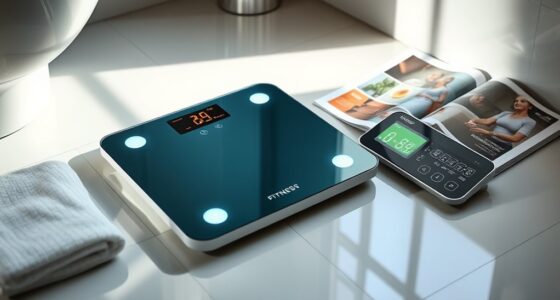
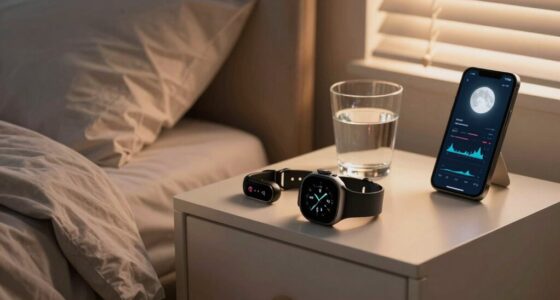
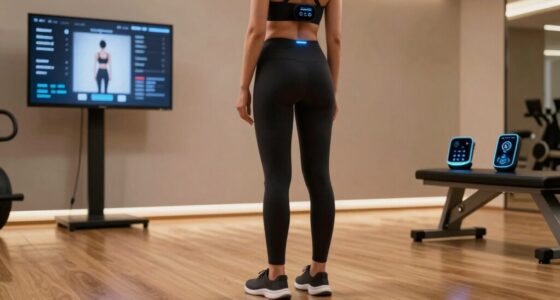
Using multiple wearables at once can give you a fuller picture of your health, activity, and recovery. By combining devices, you get detailed insights into areas like heart rate, sleep, and fitness progress, helping you make smarter adjustments. Compatibility is key, so choose devices that sync well with your preferred apps to avoid data gaps. If you’re curious about how to maximize your setup and avoid common pitfalls, keep exploring these strategies.
Play games included with Prime
Start a Prime free trial and play with Amazon Luna on your devices.
As an affiliate, we earn on qualifying purchases.
Key Takeaways
- Using multiple wearables provides a comprehensive view of your health by tracking different metrics simultaneously.
- Ensuring device compatibility allows seamless data sharing and prevents fragmented or redundant information.
- Regular syncing and centralized platforms help consolidate data, making it easier to analyze and interpret health trends.
- Choosing devices that support common standards like Apple Health or Google Fit simplifies integration.
- Proper setup and compatible devices enhance tracking accuracy, motivation, and overall fitness progress.

Have you ever wondered how to get the most out of your fitness routine with the latest technology? If so, you might be considering stacking multiple wearables to track everything from your heart rate to your sleep patterns. While it can seem tempting to wear several devices at once, the key lies in understanding how these gadgets work together. Integrating data effectively and guaranteeing device compatibility are essential steps to making this approach worthwhile rather than overwhelming.
When you combine multiple wearables, you want them to communicate seamlessly. Integrating data means that your devices should share information smoothly, so you get a thorough view of your health without needing to manually compile stats. For instance, if your smartwatch tracks your steps and heart rate, and your sleep monitor records your sleep quality, combining these data streams can give you insights into how your activity levels impact your rest. However, to do this efficiently, those devices must be compatible with each other and with your preferred apps or platforms. Device compatibility isn’t just about whether they connect via Bluetooth; it’s about whether their data can be unified in a way that’s meaningful and easy to interpret. Some brands and systems work better together, so researching compatibility before investing in multiple gadgets ensures you don’t end up with fragmented data or redundant information.
Once you’ve selected your devices, focus on syncing them regularly and setting up a central platform to view your stats. Many fitness apps now support multiple devices, allowing you to see everything in one dashboard. This makes it easier to spot patterns and make informed adjustments to your routine. Remember, stacking tech isn’t just about adding more gadgets; it’s about creating a cohesive system that offers actionable insights. If your devices aren’t compatible, you risk losing data, which defeats the purpose of tracking in the first place. Compatibility issues might require you to stick with devices from the same brand or those that support common standards like Apple Health, Google Fit, or Fitbit’s ecosystem. Additionally, understanding device interoperability can help you ensure that your devices work well together and provide a comprehensive view of your health.
Ultimately, integrating data from multiple wearables can be a game-changer, provided you guarantee device compatibility. It allows you to gather a more complete picture of your health, identify trends, and optimize your training. Just be mindful of how these devices work together—choosing compatible options and syncing them properly helps you avoid frustration and makes your fitness tracking more effective. With the right setup, stacking fitness tech can elevate your routine and empower you to reach your goals more efficiently.
best fitness wearables for multiple device integration
As an affiliate, we earn on qualifying purchases.
As an affiliate, we earn on qualifying purchases.
Frequently Asked Questions
Can Wearing Multiple Wearables Cause Data Inaccuracies?
Wearing multiple wearables can cause data inaccuracies if the devices aren’t well calibrated or if they interfere with each other’s signals. You should regularly check device calibration to guarantee accurate readings. Also, be mindful of data privacy; using several devices increases the risk of data breaches. By staying aware of these factors, you can get more reliable insights and keep your information secure.
How Do Different Wearables Synchronize Data Seamlessly?
To synchronize data seamlessly, you should connect your wearables through compatible apps or cloud services that support cross-platform integration. Keep in mind, data privacy concerns may arise, so choose devices with strong security. Also, manage battery life carefully by adjusting sync frequency or turning off unnecessary features, ensuring your devices stay connected without draining power. Regular updates and secure backups help maintain smooth, private data synchronization.
Are There Health Risks From Wearing Multiple Devices?
Think of wearing multiple devices as juggling; if you’re not careful, it can lead to some risks. Generally, health risks are minimal, but discomfort from device comfort and battery life issues might cause irritation or distraction. Wearing too many could lead to skin irritation or interfere with sleep, especially if devices aren’t comfortable. Keep an eye on how your devices feel and monitor battery life to avoid unnecessary risks.
What Is the Ideal Number of Wearables to Stack?
You should stack two to three wearables for ideal benefits, balancing device compatibility and battery life. Using too many can cause data overlaps and drain batteries quickly, reducing effectiveness. Focus on devices that complement each other’s features, like a fitness tracker and a heart rate monitor. This way, you maximize insights without overloading your gadgets, ensuring they work smoothly together and last longer.
How Do I Manage Notifications From Multiple Devices?
To avoid notification overload, manage alerts through your device settings, prioritizing essential notifications first. Guarantee device compatibility so your wearables sync seamlessly, reducing duplicate alerts. Use a centralized app or notification management system to control which alerts you receive and how often. Regularly review and customize your notification preferences to prevent overwhelm, keeping your focus on important updates without cluttering your device experience.
wearable device compatibility with Apple Health and Google Fit
As an affiliate, we earn on qualifying purchases.
As an affiliate, we earn on qualifying purchases.
Conclusion
So, why settle for just one fancy gadget when you can drown in a sea of screens? Go ahead, stack those wearables—because who doesn’t want to be a walking, talking data disaster? Just remember, all those stats won’t make you fitter overnight, but they’ll definitely make you look busier than a Fitbit on steroids. Embrace the chaos, and maybe, just maybe, you’ll find the perfect way to ignore your actual workout. Or not.
multi-device fitness tracker system
As an affiliate, we earn on qualifying purchases.
As an affiliate, we earn on qualifying purchases.
best smartwatches and sleep monitors for stacking
As an affiliate, we earn on qualifying purchases.
As an affiliate, we earn on qualifying purchases.
Fall Picks
fall essentials
As an affiliate, we earn on qualifying purchases.