
TL;DR
Smart fitness trackers record activity, heart rate, sleep, and other wellness signals, then turn them into trends you can use to shape daily habits. Step counts and workout patterns can help you stay consistent, while calorie estimates and wrist heart rate during intense exercise need more caution. Choose a tracker that fits your phone, activities, budget, and comfort with subscriptions and data sharing.
Use step totals, activity patterns, and resting-heart-rate trends to follow changes over time.
Treat calorie-burn numbers and sleep-stage labels as estimates; calorie errors in studies range from 20% to 90%.
Choose built-in GPS for phone-free route tracking; connected GPS can be a lower-cost option and may save wearable battery.
Check phone compatibility, battery life, subscription requirements, and data-sharing settings before buying.
Use health features as wellness information, not a diagnosis; ask a health professional about concerning readings or pre-existing conditions.

Get workout gear delivered free with Prime
- Fast, free delivery on millions of items
- Prime Video, Amazon Music and more included
- Member-only deals all year
What Smart Fitness Trackers Can Tell You Each Day
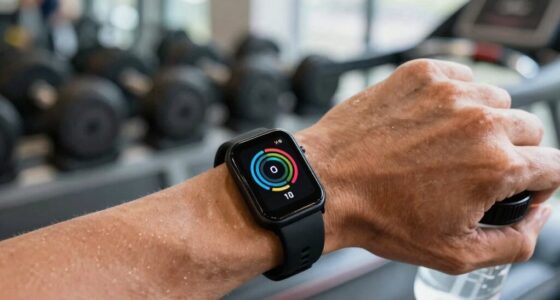
A smart fitness tracker is a wearable device that records activity and selected body signals, then displays them as numbers and trends in an app. Most models track steps, heart rate, and sleep; many also recognize workouts, estimate distance, and send phone notifications. Think of it like a pocket notebook that fills itself in, with a few measurements that are more reliable than others. For example, a tracker may show that your usual dog walk takes 24 minutes and lands around 2,800 steps. That estimate can help you compare Tuesday with Thursday, even if the distance isn’t perfect. Step counting and distance form the baseline, and reported step-count error often falls around 5–10%, though accuracy varies by device and how you move. The practical value is often consistency: if the same device counts your walks in the same way each day, changes in your routine may stand out even when the absolute total is imperfect. A missed step or two matters less than whether you are gradually walking more often. The point isn’t to collect every available number. A runner may care about pace and route, while someone trying to take more breaks may only need a step goal and a gentle movement reminder. Your tracker is most helpful when its data answers a question you actually have. Start with that question, then ignore metrics that do not change a decision; otherwise, a fuller dashboard can add effort without adding useful insight.Products Worth Considering

Oral-B iO5 Rechargeable Electric Toothbrush with 3 Brush Heads and Travel Case

Oral-B iO Series 7 Rechargeable Electric Toothbrush, Black, with 2 Brush Heads and Charging Travel Case

Garmin Forerunner 55 GPS Running Smartwatch, Black
As an affiliate, we earn on qualifying purchases.
Which Tracker Features Matter for Your Routine?
The key aspects to compare are the ones you’ll use: activity tracking, heart rate, sleep, GPS, battery life, and phone compatibility. Many devices also estimate calories and recognize activities automatically, but those features don’t carry equal weight. If you cycle without your phone, built-in GPS may matter; if you mostly walk with your phone in your pocket, connected GPS can save money and battery. The tradeoff is that each added feature can affect more than the purchase price: GPS and bright screens use power, notifications can become distracting, and some detailed reports require a paid plan. Prioritize the features that solve a recurring problem in your routine rather than choosing the longest feature list.| Feature | What it can help you notice | What to keep in mind |
|---|---|---|
| Steps and distance | Daily movement and walking patterns | Arm motion and stride assumptions affect estimates |
| Optical heart rate | Resting pulse and workout trends | Wrist readings can lag during intense or strength exercise |
| Bedtime patterns and rough sleep duration | Sleep-stage labels are less dependable than clinical testing | |
| GPS | Outdoor route, pace, and distance | Built-in GPS uses more battery than phone-connected GPS |
| Calorie estimate | Broad activity trends | Studies report errors from 20% to 90% |
What New Health Sensors Add—and What They Don’t
Newer trackers may add blood oxygen (SpO2), skin temperature, stress estimates, ECG recordings, or fall detection. Those sensors add context to a wellness dashboard, but a sensor reading or app score doesn’t automatically amount to a diagnosis. A measurement is only useful when you understand what it can indicate, how it was collected, and what action it supports. Some ECG features on certain devices have regulatory clearance to help detect signs of atrial fibrillation; availability and intended use depend on the model and region. That narrow purpose does not mean an ECG feature checks for every heart condition or replaces a clinician’s assessment. For instance, your tracker might flag a higher-than-usual overnight skin temperature after a restless night. That could prompt you to pay attention to how you feel, but it cannot tell you why the change occurred. Room temperature, illness, menstrual-cycle changes, and other factors may affect the reading. HRV-based stress scores and readiness scores also reflect estimates, not a definitive judgment about whether you should train. They can be one input alongside soreness, sleep, and how you feel, but following a score blindly may lead you to skip a workout you feel ready for or push through when you do not. AI-generated coaching and workout suggestions are spreading, while wearable makers explore links with continuous glucose monitors from companies such as Abbott and Dexcom. These connections may make it easier to view multiple signals together, but more data does not automatically explain cause and effect. Subscription plans from services including Whoop, Oura, and Fitbit Premium can put some analysis behind a monthly fee. Before buying, check which features work without a subscription and whether an ongoing charge fits your budget. Consider whether the paid analysis would change a decision you make; if it only adds extra charts, the cost may not add much practical value.Which Readings Can You Trust Most?
Use a tracker’s repeated patterns more confidently than any single precise-looking number. Step totals can support a steady walking habit, and resting heart-rate trends may offer a useful view of change over time. By contrast, calorie-burn figures can be substantially wrong, and wrist heart-rate readings often struggle during lifting, intervals, or rapid changes in effort. This difference matters because trends can help you compare your own routine, while a falsely precise daily number can encourage decisions—such as eating to match a calorie estimate—that the device cannot reliably support. Imagine your watch says you burned 640 calories during a strength session. Treat that as a rough estimate rather than a meal plan: research studies have found calorie estimates can miss by 20–90%. The size of that range reflects differences among devices, activities, and people, so there is no dependable correction factor to apply to your watch’s number. A chest strap generally gives consumers a stronger heart-rate reading during hard exercise, while a snug wrist device often works better for steady walking or easy runs. If you use wrist heart rate to compare workouts, keep the device fit and conditions similar; otherwise, changes in placement or movement can look like changes in effort. Sleep stages deserve similar caution. A tracker can help you see that late bedtimes coincide with shorter nights, but consumer sleep tracking doesn’t match clinical polysomnography for detailed sleep-stage measurement. The broad pattern—when you went to bed and how long you were likely inactive—can still help you notice habits, while labels such as “deep sleep” may create concern without enough evidence to explain what happened. If the data makes you anxious or pushes you to chase a perfect score, hide the score and focus on a simple routine such as keeping a regular bedtime.Choose a Tracker You’ll Want to Wear
The best tracker for you is the one that matches your phone, activities, and willingness to charge it. Smart fitness trackers range from budget bands by brands such as Xiaomi and Amazfit to feature-rich watches from Apple, Samsung, Garmin, and Fitbit, with screenless options such as Oura Ring and Whoop focused heavily on sleep or recovery. A lower price can cover the basics well, while premium models add navigation, training tools, or specialized sensors. The right choice depends on whether those additions solve a real need: a runner who follows mapped routes may value navigation, while someone who wants a simple nudge to walk may get little from it. Comfort and charging habits also determine whether a tracker gathers enough consistent data to be useful. If you’re choosing your first one, follow these steps:- Name your main goal. Pick one: daily movement, outdoor workouts, sleep patterns, or training load. If your goal is walking more, step count and reminders may be enough. A focused goal helps you avoid paying for features that look appealing in a comparison chart but do not affect your routine.
- Check phone compatibility. Some watches work best, or only, with particular phone systems. Confirm that the model supports your iPhone or Android phone. Also check whether the features you care about require the maker’s app, a specific phone version, or a subscription.
- Choose your GPS setup. Built-in GPS records routes without your phone, while connected GPS uses the phone and may extend the wearable’s battery life. If you often leave your phone behind, built-in GPS trades longer charging intervals for more independence; if you carry your phone anyway, connected GPS may do the job at lower cost.
- Compare charging and fees. Some smartwatches need charging every day or two; select fitness-focused models can last two weeks or more. Check whether sleep insights or coaching require a subscription. Think about your actual charging routine: a device with more features is less useful if its battery runs out during the workouts or nights you want to track.
- Try the comfort and controls. A band that pinches, a screen you can’t read outdoors, or menus you dislike can turn a useful gadget into a drawer resident. If possible, try the size and band; otherwise, check the return policy and whether replacement bands are easy to find.
Keep Your Health Data—and Expectations—in Check
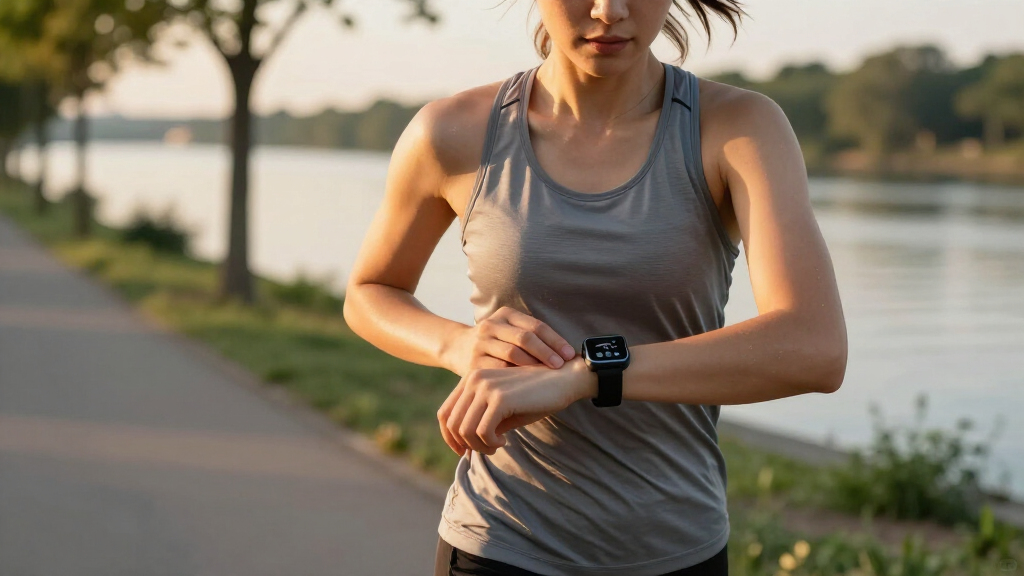
A tracker can support everyday wellness by helping you notice habits, but most wearables aren’t medical devices and their readings shouldn’t replace professional advice. Fall detection, ECG, and blood-pressure features have model-specific limits and may need setup or calibration. A feature can be useful for prompting follow-up, but its presence alone does not guarantee that it will detect every event or condition. If you have a pre-existing condition or a reading worries you, discuss it with a qualified health professional rather than relying on an app alert. Your data also deserves a quick review. Before syncing, check the app’s privacy settings, what information it shares with other services, and whether you can delete or export your records. Data may pass between the wearable, its app, and connected services, so permissions and retention settings affect who can access the information and how long it remains stored. For example, if you connect a sleep app to a third-party coaching service, confirm what each service receives and how to revoke access. Revisit those settings when you add a new app or feature, since a useful connection can also expand the number of services handling your data. Use the tracker as a supportive prompt: take the stairs when it fits, go for a walk after lunch, or notice when a late night affects your morning. Keep the useful pattern and let the false precision go. That’s how Maya got more from her tracker than a number on her wrist.Frequently Asked Questions
How accurate are smart fitness trackers for calories and heart rate?
Calorie estimates are rough: studies have found errors of about 20–90%, so use them to compare broad trends rather than plan meals. Wrist heart rate can be useful during steady activity, but it may lag or lose accuracy during weight training and intense intervals; a chest strap is generally a better consumer option for hard workouts.
Do I need built-in GPS in a fitness tracker?
Choose built-in GPS if you want to record an outdoor route without carrying your phone. Connected GPS uses your phone’s location signal and can suit walks or runs where you bring your phone anyway, often at a lower device cost.
Can a fitness tracker detect a heart problem?
Some models offer ECG features cleared in certain regions to help detect signs of atrial fibrillation, but a tracker cannot diagnose every heart problem. Check the feature’s intended use and talk with a health professional about symptoms or concerning readings.
Are smart fitness trackers worth it without a subscription?
Many trackers still record basics such as steps and workouts without a paid plan, but some sleep reports, coaching, or recovery analysis may sit behind a subscription. Check the current feature list for the exact model and app before you buy so you know what remains available at no extra cost.