
To build a budget gaming PC without sacrificing performance, pick an overclocking-capable CPU from Intel or AMD paired with a motherboard that supports overclocking. Choose a mid-range GPU like NVIDIA GTX or AMD RX for good gaming performance, and balance it with 16GB RAM, SSD storage for fast loads, and an HDD for extra space. Incorporate RGB lighting for style on a budget. If you keep exploring, you’ll find tips to maximize your build’s potential without overspending.
Key Takeaways
- Select overclocking-compatible CPU and motherboard to boost gaming performance without extra cost.
- Incorporate RGB lighting in case, RAM, and cooling for aesthetic appeal on a budget.
- Balance core components: mid-range GPU, 16GB RAM, SSD, and HDD for cost-effective performance.
- Save by buying second-hand parts and focusing on essential features that improve gaming.
- Future-proof your build with upgrade-friendly components and optional cloud server support for longevity.
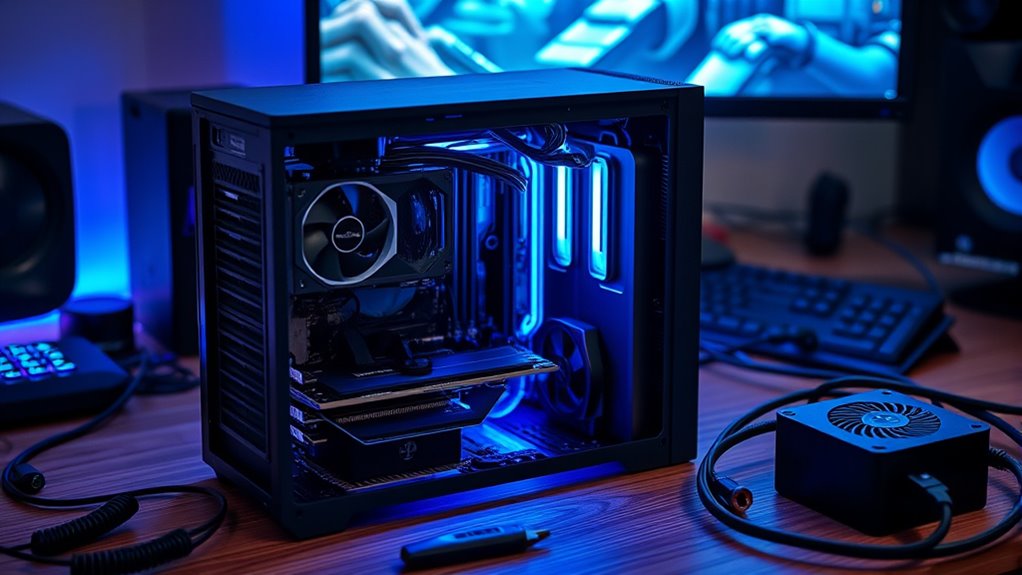
Building a gaming PC on a budget is entirely achievable if you know where to focus your spending. One of the smartest investments is a good motherboard and CPU combo that allows for overclocking benefits. Overclocking can *substantially* boost your gaming performance without the need to buy the latest, most expensive hardware. A capable CPU with overclocking potential, like certain Intel or AMD models, lets you squeeze more power out of your existing setup, giving you higher frame rates and smoother gameplay. To maximize this advantage, *make sure* your motherboard supports overclocking and has robust power delivery. This way, you don’t have to spend extra on more expensive components later, and you get better value for your dollar.
Prioritize a motherboard and CPU combo with overclocking support to maximize gaming performance on a budget.
Another way to add personality and style without breaking the bank is RGB lighting. While RGB lighting isn’t essential for gaming performance, it can make your build look sleek and modern. Many budget-friendly components now come with customizable RGB lighting options, allowing you to create a vibrant, eye-catching setup. When choosing parts, look for cases, RAM, and even cooling solutions with integrated RGB lighting. This adds aesthetic appeal and can be synchronized with your other components using software, giving you a personalized gaming environment. Plus, RGB lighting can make your build feel more premium without the hefty price tag.
To keep costs low, focus on balancing your core components. Opt for a mid-range GPU that offers good performance at a reasonable price—NVIDIA’s GTX series or AMD’s RX series are solid options. Pair it with a processor that’s capable of handling your gaming needs, and don’t forget to choose a reliable power supply that provides enough wattage for future upgrades. Memory is also *essential*; 16GB of RAM is usually sufficient for most games today. When shopping for storage, consider a combination of an SSD for faster load times and a larger HDD for bulk storage, which saves money. Additionally, choosing hardware that supports innovative European cloud servers can enhance your overall setup with sustainable and secure cloud solutions in the future.
Finally, consider second-hand or refurbished parts for non-critical components to save money without sacrificing quality. Building a gaming PC on a budget requires strategic choices, but with a focus on overclocking benefits and aesthetic upgrades like RGB lighting, you can create a powerful, stylish setup that delivers great gaming performance without overspending. Keep an eye on deals and reviews, and you’ll be surprised at what you can achieve with a well-planned budget build.

AMD Ryzen 5 5500 6-Core, 12-Thread Unlocked Desktop Processor with Wraith Stealth Cooler
- High FPS Gaming Performance: Over 100 FPS in popular games
- 6 Cores and 12 Threads: Efficient multi-tasking and processing
- Includes Wraith Stealth Cooler: Built-in cooling solution
As an affiliate, we earn on qualifying purchases.
As an affiliate, we earn on qualifying purchases.
Frequently Asked Questions
Can I Upgrade My Budget Gaming PC Later?
Yes, you can upgrade your budget gaming PC later. Just keep future upgrades in mind by choosing a compatible motherboard and power supply now. Check compatibility considerations like RAM type and GPU size to guarantee smooth upgrades. As long as you plan ahead and select flexible components, upgrading becomes easy, allowing you to improve performance over time without starting from scratch.
What Are the Best Budget Gaming Peripherals?
Think of budget gaming peripherals as the skeleton key to your gaming setup. You can find a budget mouse that’s precise without costing a fortune, and an affordable keyboard that offers good feedback without sacrificing quality. Look for models with customizable buttons and responsive switches. These peripherals make a huge difference, giving you the control and comfort you need to stay competitive without draining your wallet.
How Do I Improve Cooling Without Extra Costs?
To improve cooling without extra costs, focus on airflow optimization by reorganizing your cables and keeping the interior tidy. Guarantee your fans are properly placed—intake fans at the front and bottom, exhaust fans at the top and rear—to promote effective airflow. Regularly clean dust filters and fans to maintain peak performance. These simple adjustments enhance cooling, reduce heat buildup, and keep your gaming PC running smoothly without spending additional money.
Is a Used PC Component Safe and Reliable?
Using used components can be risky, but if you’re cautious, they can be reliable. You might wonder if those parts will hold up, and that’s valid. Always check seller reviews, request detailed photos, and ask about warranties. While some reliability concerns exist, buying from reputable sources reduces the risk. With careful inspection, you can build a budget-friendly gaming PC that performs well without sacrificing quality or peace of mind.
What Software Optimizations Enhance Gaming Performance?
To boost gaming performance, guarantee your software is optimized by keeping your graphics drivers updated regularly, which fixes bugs and improves stability. You should also explore overclocking your GPU and CPU, but only if you prioritize overclocking stability to prevent crashes. Additionally, close unnecessary background apps and tweak game settings for better frame rates, ensuring you get the most out of your budget build without sacrificing performance.

CHANZON 100 pcs 5mm RGB Multicolor LED Diode Lights Common Cathode
- Number of LEDs: 100 pcs RGB multicolor LEDs
- LED Size: 5mm diameter
- Color Options: Red, Green, Blue
As an affiliate, we earn on qualifying purchases.
As an affiliate, we earn on qualifying purchases.
Conclusion
Building a gaming PC on a budget is totally doable, and you don’t have to sacrifice performance. With smart choices, you can enjoy smooth gameplay without breaking the bank. Did you know that over 60% of gamers build their own PCs to save money and customize their experience? So, get creative, stay patient, and remember—great gaming doesn’t have to come with a hefty price tag. Your perfect setup is within reach!

Nvidia GeForce GTX 1070 Founders Edition (Renewed)
- GPU Model: NVIDIA GeForce GTX 1070
- Memory: 8GB GDDR5
- Interface: PCIe 3.0 x16
As an affiliate, we earn on qualifying purchases.
As an affiliate, we earn on qualifying purchases.

Western Digital 1TB P40 Game Drive SSD – Up to 2,000MB/s, RGB Lighting, Portable External Solid State Drive , Compatible with Playstation, Xbox, PC, & Mac – WDBAWY0010BBK-WESN
- RGB Lighting Customization: Personalize with WD_BLACK Dashboard (Windows)
- High-Speed Data Transfer: Up to 2,000MB/s with USB 3.2 Gen2x2
- Wide Console Compatibility: Supports PS5, Xbox Series X|S, PS4, Xbox One
As an affiliate, we earn on qualifying purchases.
As an affiliate, we earn on qualifying purchases.