
To create the ultimate home office, pick a quiet, dedicated space with plenty of natural light. Invest in ergonomic furniture like a supportive chair and an adjustable desk to promote good posture and comfort. Use a high-quality monitor positioned to reduce glare, and add adjustable lighting to prevent eye strain. Keep your workspace organized and well-lit to boost focus and productivity. Keep exploring for more tips to optimize your setup even further.

Get workout gear delivered free with Prime
- Fast, free delivery on millions of items
- Prime Video, Amazon Music and more included
- Member-only deals all year
Key Takeaways
- Choose a quiet, dedicated space with ample natural light and minimal distractions.
- Invest in ergonomic furniture, ensuring proper desk and chair height for comfort and posture.
- Use adjustable monitors to reduce eye strain and position screens to avoid glare.
- Incorporate layered lighting with natural light and adjustable artificial lights for optimal focus.
- Organize the workspace efficiently to promote productivity and maintain a clutter-free environment.
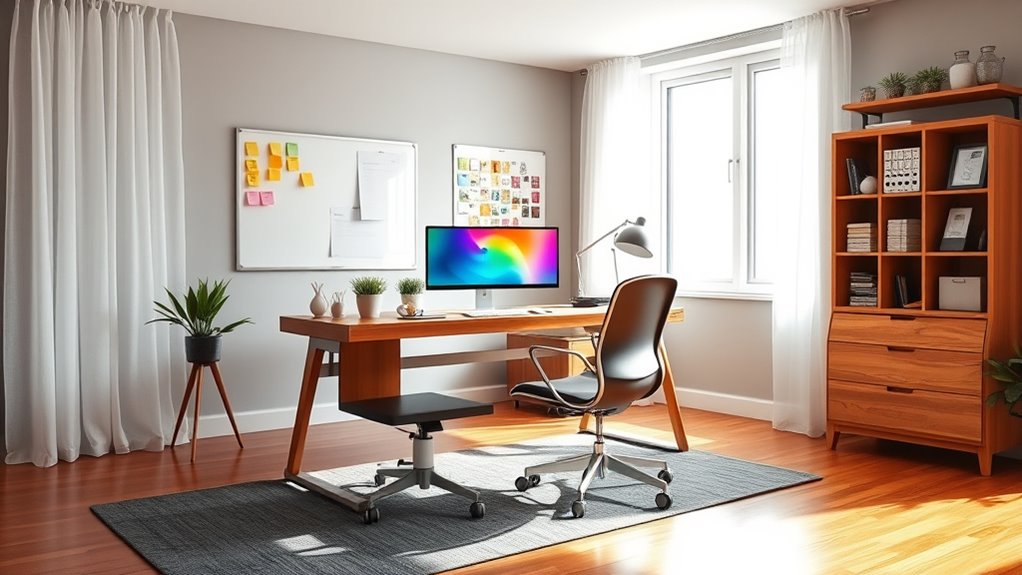
Creating an efficient home office starts with choosing the right space. You want a spot that minimizes distractions and offers enough room to set up your essentials comfortably. Once you’ve identified that area, focus on designing it for productivity and comfort. The foundation of a good workspace is ergonomic furniture. Invest in a supportive chair that encourages good posture and reduces strain during long work sessions. Pair it with a desk that fits your height, ensuring your arms rest comfortably while typing or writing. Ergonomic furniture isn’t just about comfort; it’s about preventing musculoskeletal issues that can develop from poor posture over time. Take the time to adjust your chair and desk so that your feet are flat on the floor, your knees are at a 90-degree angle, and your wrists are straight when using your keyboard and mouse. This setup improves your focus and reduces fatigue, making your workday smoother. Additionally, using high refresh rate monitors can reduce eye strain and provide smoother visuals during long working hours. Lighting solutions play a pivotal role in creating a productive environment. Natural light is your best friend, so position your desk near a window if possible. It boosts mood, reduces eye strain, and helps keep you alert. But don’t rely solely on sunlight—supplement it with well-designed artificial lighting. Opt for adjustable task lights that can be directed to reduce glare on your screen and provide focused illumination. Overhead lighting should be bright enough to light the entire space without causing harsh shadows or reflections. Consider using LED bulbs with a color temperature around 4000K for a natural, daytime feel that helps you stay energized. Proper lighting reduces eye strain and enhances concentration, especially during long hours or on cloudy days. If you work late or need additional light, avoid harsh fluorescent fixtures that can cause headaches or fatigue. Instead, choose soft, warm lights that create a cozy yet functional atmosphere. Position your lighting to avoid glare on your monitor, which can cause discomfort and distract you from your tasks. Combining natural and artificial lighting creates a balanced environment that keeps you comfortable and focused throughout your workday.
Products Worth Considering

Bowflex SelectTech 840 Adjustable Kettlebell

Fitbit Versa 2 Health and Fitness Smartwatch with Heart Rate, Alexa, Music, Sleep and Swim Tracking

BowFlex Results Series SelectTech Adjustable Dumbbells (Pair)
As an affiliate, we earn on qualifying purchases.
Frequently Asked Questions
How Can I Minimize Distractions in My Home Office?
To minimize distractions in your home office, focus on noise reduction by adding rugs, curtains, or a white noise machine. Optimize your lighting by using natural light during the day and adjustable LED lamps to reduce glare and eye strain. Keep your workspace tidy, set boundaries with family or roommates, and use noise-canceling headphones when needed. These steps help you stay focused and maintain productivity throughout your workday.
What Are Ergonomic Tips for Long Working Hours?
They say, “A stitch in time saves nine,” so prioritize your comfort during long work hours. Invest in an ergonomic chair that supports your back and set your monitor height so your eyes are level with the screen. Take regular breaks, stretch, and adjust your workspace to prevent strain. These small changes can make a big difference in maintaining good posture and avoiding fatigue.
How Do I Improve Internet Connectivity at Home?
You can improve your internet connectivity at home by installing Wi-Fi extenders to boost signal range and eliminate dead zones. Consider upgrading to a mesh network system, which provides seamless coverage across your entire space. Place extenders or mesh nodes strategically, like near your workspace and far corners of your home, to guarantee a strong, reliable connection wherever you work. This setup minimizes disruptions and keeps you productive.
What Security Measures Protect Remote Work Data?
You protect remote work data by implementing strong cybersecurity protocols and data encryption. Visualize these measures as a secure vault safeguarding your valuable information. Use firewalls and antivirus software to block threats, and enable two-factor authentication for added security. Regularly update your software to patch vulnerabilities. These steps assure your data remains confidential, even if your internet connection faces threats, giving you peace of mind while working remotely.
How Can I Personalize My Workspace Without Clutter?
You can personalize your workspace without clutter by adding decorative accents like inspiring artwork or sleek desk accessories that reflect your style. Use personalized storage solutions such as labeled bins or stylish drawers to keep your essentials organized and out of sight. This way, you create a space that feels uniquely yours and promotes productivity, all while maintaining a clean, clutter-free environment that inspires focus and creativity.
Conclusion
Now that you’ve got the blueprint for your perfect home office, you’re ready to turn your space into a productivity powerhouse. Think of it as planting a seed—nurture it with organization, comfort, and the right tech, and watch your remote work thrive. With your new setup, you’ll be sailing smoothly through your tasks, making every workday feel like a breeze. So go ahead, make your home office a place where ideas blossom and success blooms.