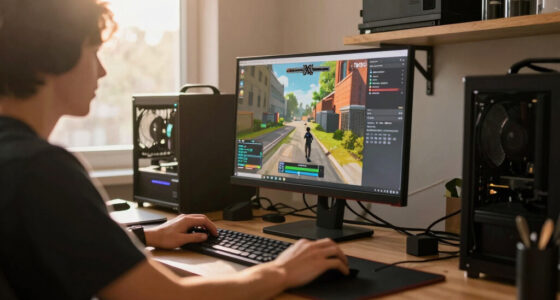
To play classic games today, you can use emulators that mimic old consoles on your modern devices like PCs or smartphones. These emulators support high-res displays, save states, and multiplayer features, making gameplay smooth and authentic. Pair them with modern controllers for better comfort and precision. This setup lets you enjoy retro titles without old hardware. Keep exploring, and you’ll discover more ways to bring the magic of classic gaming into your current setup.

Get workout gear delivered free — and shop member deals
- Fast, free delivery on millions of items
- Access to Prime Big Deal Days deals on October 6–7
- Prime Video, Amazon Music and more included
Key Takeaways
- Emulators replicate vintage console hardware, enabling modern devices to run classic games seamlessly.
- Compatibility updates ensure emulators work smoothly across various operating systems and devices.
- Modern controllers improve gameplay feel with ergonomic design and customizable features for authentic retro experiences.
- Digital platforms and online communities facilitate easy access and sharing of classic titles.
- Technological advances preserve retro games, making them more accessible and enjoyable for new and nostalgic players.

Retro gaming has experienced a surge in popularity as more players rediscover the charm of classic titles. It’s no longer just about hunting down old consoles or cartridges; it’s about bringing those timeless games into your modern setup. Thanks to advances in technology, you can now enjoy these classics on your current devices with ease. One key factor that makes this possible is emulator compatibility. Emulators are software programs that mimic the hardware of vintage gaming consoles, allowing you to run their games on your computer or even mobile devices. Today’s emulators are highly compatible with a wide range of classic titles, from Nintendo’s Mario and Zelda series to Sega’s Sonic and Mega Drive games. They’re regularly updated to support newer operating systems and improve stability, so you can play without frustration. When choosing an emulator, it’s important to check its compatibility with your device and the specific games you want to play. Many popular emulators now support high-resolution displays, save states, and even multiplayer features, making the experience seamless and enjoyable. emulator compatibility is crucial for ensuring a smooth and authentic retro gaming experience.
But just having an emulator isn’t enough to truly replicate the feel of playing on original hardware. That’s where modern controllers come into play. You might think that using a keyboard or touchscreen isn’t ideal for retro games, but modern controllers bridge that gap. These controllers are designed to work with PCs, consoles, and even smartphones, offering the same tactile feedback and button layout as the original gamepads. Many gamers prefer using modern controllers because they provide better ergonomics, more precise input, and a familiar feel, especially for games that relied heavily on precise timing or complex button combinations. You can connect these controllers via USB or Bluetooth, making setup straightforward. Some controllers even come with customizable button mapping, allowing you to tailor your gaming experience exactly how you like it. This combination of emulator compatibility and modern controllers means you can enjoy authentic gameplay without the clutter of old consoles or the limitations of outdated hardware.
Frequently Asked Questions
Are There Legal Issues With Emulating Retro Games?
Yes, there are legal issues with emulating retro games. You should be aware of copyright concerns and intellectual property laws, which vary by country. Downloading or distributing ROMs without permission can infringe on rights holders’ rights, risking legal action. To stay safe, consider using legally licensed emulators or purchasing classic games through official channels, ensuring you’re respecting the creators’ rights and avoiding potential legal problems.
Which Devices Are Best for Playing Classic Games Now?
You should consider portable consoles like the Nintendo Switch or Steam Deck, which offer built-in emulation software for classic games. These devices provide a seamless experience, with easy access to a wide library of retro titles. Alternatively, you can use a PC or laptop with emulation software, giving you flexibility and customization. Both options allow you to enjoy your favorite vintage games comfortably and legally.
How Can I Save Progress in Vintage Arcade Games?
Picture yourself in a neon-lit arcade, joystick in hand, enthusiastic to beat your high score. To save progress in vintage arcade games, you typically use a save game feature or a memory card if the game supports it. Some modern ports emulate this by allowing you to save your game state digitally. Always look for a save option or insert a memory card, so your hard-earned progress isn’t lost.
What Are the Costs Associated With Setting up a Retro Gaming Station?
Setting up a retro gaming station involves a cost analysis of equipment expenses, including vintage consoles, CRT TVs, or modern displays, and controllers. You’ll also need to take into account costs for necessary accessories like HDMI adapters or repair parts. Overall, expect to spend anywhere from a few hundred to over a thousand dollars, depending on the quality and authenticity of your setup. Planning your budget carefully ensures you get the best experience without overspending.
Can I Play Multiplayer Retro Games Online Today?
Yes, you can enjoy multiplayer retro games online today. Many classic titles support online multiplayer through digital matchmaking platforms or dedicated servers. You’ll need to connect via emulators with online features, or use modern re-releases that include online multiplayer options. This allows you to challenge friends or players worldwide, keeping the nostalgic experience alive while taking advantage of current technology for seamless online gameplay.
Conclusion
Embracing retro gaming lets you gently reconnect with simpler joys, rekindling a sense of wonder long tucked away. It’s a quiet reminder that some treasures are timeless, quietly waiting to be rediscovered in your own space. As you journey through these classics, you’ll find comfort in their familiar warmth, like a gentle hug from the past. So, take a step back, and let these cherished memories softly brighten your present.
Fall Picks
fall essentials
As an affiliate, we earn on qualifying purchases.