To digitize your old photos and VHS tapes, start by scanning photos at high resolution using a good scanner or camera. For VHS tapes, use a capture device connected to your computer to convert footage into digital files like MP4 or MOV. Then, utilize photo editing and video restoration software to enhance and clean up your images and videos. Proper storage solutions and organized folders help preserve your memories long-term. Keep exploring for detailed tips to make the process easier and more effective.
Listen free for 30 days with Audible
Thousands of audiobooks and originals — cancel anytime.
As an affiliate, we earn on qualifying purchases.
Key Takeaways
- Use a high-resolution scanner (at least 600 dpi) to digitize old photos, ensuring detailed and clear images.
- Connect a high-quality VHS capture device to your computer to convert tapes into digital formats like MP4 or MOV.
- Apply digital restoration techniques such as adjusting brightness, contrast, and removing dust or scratches after scanning or capturing.
- Store digital files securely on cloud services or external drives, and create multiple backups for preservation.
- Organize your digitized media into clearly labeled folders by date or event for easy access and sharing.
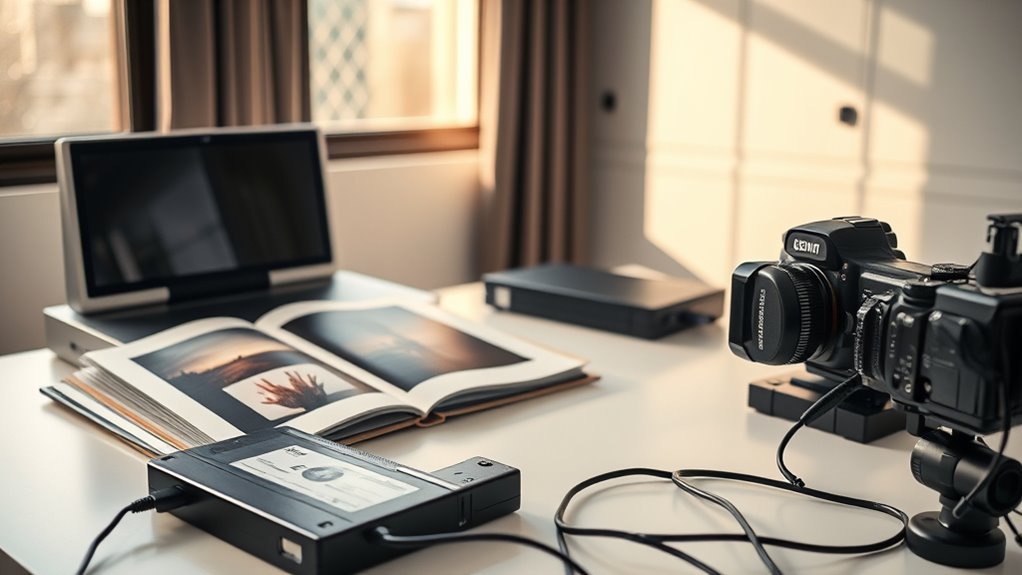
Digitizing your old photos and VHS tapes can preserve cherished memories and make them easier to share. As you begin this process, understanding effective restoration techniques is essential to ensure your digital copies look as good as possible. Vintage photos often suffer from fading, discoloration, and physical damage, but with the right restoration techniques, you can enhance their quality. Using photo editing software, you can correct color imbalances, remove scratches, and improve clarity. For VHS tapes, digital enhancement tools help reduce noise, stabilize shaky footage, and restore audio quality. These improvements allow your memories to shine through in their best form, making them more vivid and enjoyable to revisit.
Once your media is digitized and cleaned up, the next step involves choosing reliable storage solutions. Proper storage is vital to protect your digital files from accidental deletion, hardware failures, or corruption. Cloud storage services are popular options, offering secure, accessible platforms that can automatically back up your files. Alternatively, external hard drives or SSDs provide large storage capacities and fast access, perfect for organizing extensive collections. It’s wise to create multiple copies and store them in different locations to prevent loss due to theft, fire, or technical issues. Keeping your digital assets well-organized from the start makes future access and sharing much easier.
As you work through the digitization process, consider scanning your photos at high resolution—at least 600 dpi—to capture all the details. When converting VHS tapes, use a high-quality video capture device that connects your VCR to your computer. Follow the manufacturer’s instructions carefully, ensuring you record in a common format like MP4 or MOV for compatibility. After digitizing, spend some time applying restoration techniques to improve each file’s quality. This could involve adjusting brightness, contrast, or color saturation, and removing dust or scratches from scanned images. For videos, focus on stabilizing shaky footage and cleaning up audio. Additionally, projector technology plays a vital role in how you can view and enjoy your digitized memories on a larger screen, making the experience more immersive. Once your files are polished, organize them into folders by date or event, and label them clearly to avoid confusion later.
Finally, don’t forget about long-term preservation. Regularly back up your digital library to multiple storage solutions, and consider creating physical copies on DVDs or external drives for added security. Keeping your digital memories organized, restored, and safely stored ensures that future generations can enjoy them just as vividly as you do today. Digitizing old photos and VHS tapes isn’t just about saving files—it’s about safeguarding your stories and preserving your history for years to come.
high resolution photo scanner 600 dpi
As an affiliate, we earn on qualifying purchases.
As an affiliate, we earn on qualifying purchases.
Frequently Asked Questions
What Equipment Is Best for Digitizing Fragile Photos?
To digitize fragile photos, you should use a high-quality flatbed scanner with a gentle, adjustable lid to prevent damage. Look for scanners designed for archival storage, offering high resolution and color accuracy. Always handle delicate materials with gloves and support them on a soft surface to avoid bending or tearing. This careful handling guarantees your photos remain intact while achieving excellent digital copies.
How Can I Enhance Old Video Quality After Digitization?
Imagine bringing your vintage footage back to life, vibrant and sharp. You can enhance old video quality after digitization through video editing software that offers tools like noise reduction, color correction, and sharpening filters. These features help clarify details and enrich colors, making your memories more vivid. With patience and the right software, you’ll transform grainy, faded videos into mesmerizing, high-quality clips you’ll cherish forever.
Are There Eco-Friendly Options for Digitizing Tapes and Photos?
You can choose eco-friendly options for digitizing tapes and photos by exploring recycling options for old media and equipment. Look for services that prioritize sustainability, such as eco-friendly devices and environmentally responsible disposal practices. Many companies now offer green alternatives, reducing waste and energy consumption. By selecting these options, you help protect the environment while preserving your cherished memories, making the process both eco-conscious and efficient.
How Do I Organize Digital Files for Easy Access?
Think of your digital files as a photo album; you want easy access, not a treasure hunt. You organize by using consistent digital naming conventions, making it simple to find what you need. Store backups in cloud storage for security and accessibility. Create folders by date or event, and add tags for quick searches. Regularly review and delete duplicates to keep your collection neat and manageable.
What Privacy Concerns Exist When Digitizing Personal Media?
When digitizing your personal media, you face privacy risks like unauthorized access or data breaches. To protect your memories, guarantee your digital files are stored securely using strong passwords and encryption. Be cautious about sharing files online or with third-party services, as they might compromise your data security. Regularly update your software and backup copies to prevent loss and maintain control over your private information.
As an affiliate, we earn on qualifying purchases.
Conclusion
By digitizing your old photos and VHS tapes, you’re preserving precious memories for generations to come. Think of it as your personal time capsule, much like the stories whispered around a campfire, kept alive through each click and scan. Don’t let these moments fade away like shadows in the night. Take action today, and guarantee that your family’s history endures—bright, vivid, and ready to be revisited whenever you want to relive those beautiful times.
photo editing software for restoration
As an affiliate, we earn on qualifying purchases.
As an affiliate, we earn on qualifying purchases.
external hard drive for digital storage
As an affiliate, we earn on qualifying purchases.
As an affiliate, we earn on qualifying purchases.
NFL season / tailgating Picks
team gear
As an affiliate, we earn on qualifying purchases.