

To boost your Wi-Fi, start by placing your router centrally and elevating it to improve coverage. Minimize interference by keeping it away from electronic devices like microwaves and cordless phones, and consider switching to a less congested channel or using the 5 GHz band for faster speeds. Avoid physical barriers and large metal objects that weaken signals. If you want to learn more ways to enhance your home internet, keep exploring these tips.

Get workout gear delivered free — and shop member deals
- Fast, free delivery on millions of items
- Access to Prime Big Deal Days deals on October 6–7
- Prime Video, Amazon Music and more included
Key Takeaways
- Place your router centrally and elevate it to ensure even Wi-Fi coverage throughout your home.
- Switch to the 5 GHz band for faster speeds and less interference, especially in crowded areas.
- Minimize electronic interference by keeping devices like cordless phones and microwaves away from your router.
- Use Wi-Fi analyzers to identify optimal channels and reduce congestion from neighboring networks.
- Avoid physical barriers such as thick walls or large metal objects that weaken wireless signals.
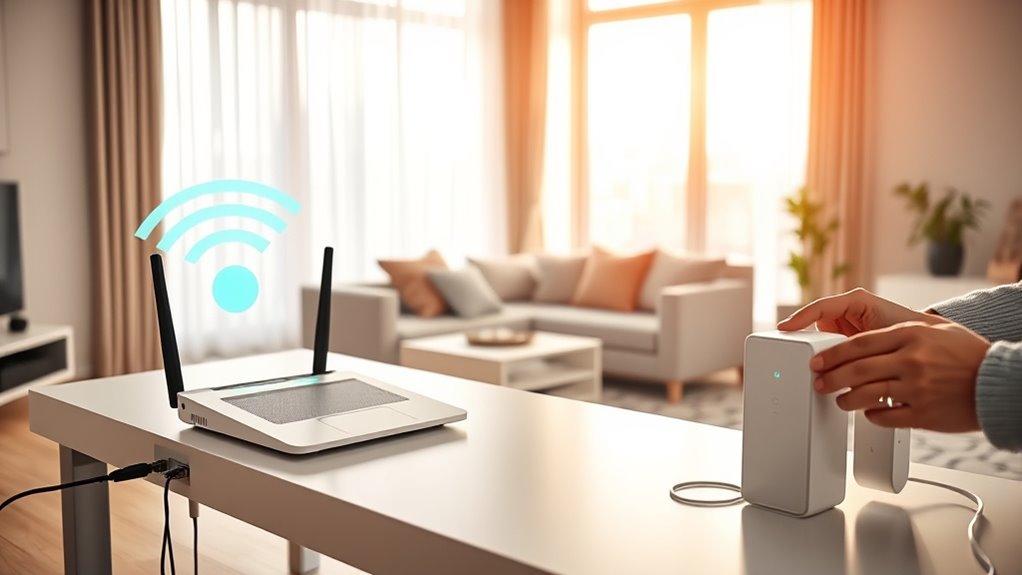
Are you tired of slow or unreliable Wi-Fi? If so, the first step to boosting your home internet speed is paying attention to where you place your router. Router placement is vital because it directly affects the strength and coverage of your Wi-Fi signal. Place your router in a central location, ideally elevated on a shelf or mounted on a wall, to guarantee even coverage throughout your home. Avoid hiding it behind furniture, inside cabinets, or near walls that could block the signal. Keep it away from large metal objects and appliances like microwaves or cordless phones, which can interfere with wireless signals. Moving your router to an ideal spot can dramatically improve your connection speed and stability, reducing dead zones and buffering issues. Optimizing your Router placement is essential for maximizing your Wi-Fi performance.
Interference reduction is another key factor in enhancing your Wi-Fi performance. Wireless signals can be disrupted by other electronic devices and neighboring Wi-Fi networks, which causes slowdowns and dropped connections. To minimize interference, switch your router to a less congested channel, especially if you’re on the crowded 2.4 GHz band. Many modern routers automatically select the best channel, but you can also manually check and change it through your router’s settings. Additionally, consider upgrading to a dual-band router that supports both 2.4 GHz and 5 GHz bands. The 5 GHz band typically experiences less interference and offers faster speeds, especially if you live in a densely populated area with many Wi-Fi networks.
Another effective way to reduce interference is to keep your router away from other electronic devices that emit radio waves. Keep it separate from cordless phones, baby monitors, and Bluetooth devices that operate on similar frequencies. Also, avoid placing your router near thick walls or large metal objects that can reflect or absorb wireless signals, weakening your connection. If you notice persistent interference from neighboring networks, using Wi-Fi analyzers can help identify the clearest channels and optimize your setup.
Frequently Asked Questions
How Often Should I Restart My Router for Optimal Performance?
You should restart your router once a month to keep it running smoothly. Regular router maintenance, including rebooting, clears out memory leaks and refreshes connections. Additionally, check for firmware updates during these resets, as they improve performance and security. If you notice slow speeds or connectivity issues, restart more often. This simple habit helps maintain peak performance and keeps your home internet running reliably.
Can the Placement of My Router Affect Wi-Fi Speeds?
Ever wonder if router placement impacts your Wi-Fi? It definitely does. Proper router placement enhances signal strength, leading to faster speeds and better coverage. Keep your router in a central, elevated spot, away from walls and electronic interference. Avoid placing it near metal objects or thick barriers. When you optimize your router’s position, you’ll notice a significant boost in your internet performance, making streaming, gaming, and browsing smoother and more reliable.
Do Different Devices Experience Varying Internet Speeds?
Yes, different devices experience varying internet speeds due to device compatibility and signal interference. Older devices may struggle with newer Wi-Fi standards, reducing their speed. Additionally, signal interference from other electronics or thick walls can weaken the connection, causing slower speeds on some devices. To improve performance, verify your devices support current standards and minimize interference by positioning your router away from electronics and obstructions.
How Can I Tell if My Internet Plan Matches My Usage?
Your internet plan should match your data usage like a well-fitted suit. To check, run a speed test during peak hours and monitor your data usage over a month. If your speed test results fall short of your plan’s promises or you regularly hit data caps, it’s time to contemplate an upgrade. This way, you ensure your plan supports your streaming, gaming, and browsing habits seamlessly.
Are There Security Risks Associated With Changing Wi-Fi Channels?
Changing channels risks affecting your Wi-Fi channel security if you don’t choose a secure, less congested channel. While Wi-Fi channel security mainly depends on your network encryption, switching channels can sometimes expose your network to nearby threats if not properly secured. To minimize Wi-Fi channel security risks, update your router’s firmware and use strong passwords. Properly selecting a less congested channel reduces interference, improving speed without compromising security.
Conclusion
Improving your Wi-Fi can make a big difference—did you know that a slow internet connection costs businesses up to $11,000 per minute in lost productivity? By applying these simple tips, you’ll enjoy faster streaming, smoother gaming, and reliable connectivity all around your home. Don’t settle for frustrating lag — take control today and experience the difference a better Wi-Fi setup can make in your daily life. Your faster, more efficient internet is just a few steps away!
Fall Picks
fall essentials
As an affiliate, we earn on qualifying purchases.