Password managers are highly secure tools that help you create, store, and manage complex passwords easily. They use strong encryption protocols to protect your data locally with a master password only you know, making unauthorized access virtually impossible. By using one, you reduce the risk of weak or reused passwords and improve overall online security. If you want to understand how they really safeguard your information and why they’re essential, there’s more to explore.
Key Takeaways
- Password managers use strong encryption protocols to securely store your passwords, making them safe from unauthorized access.
- They eliminate the need to remember multiple passwords, reducing the risk of insecure or reused passwords.
- Master passwords protect your stored data, ensuring only you can access your passwords and sensitive information.
- A well-designed, user-friendly interface encourages consistent use and minimizes user mistakes.
- Overall, password managers enhance online security while offering convenience, making them a valuable tool for most users.
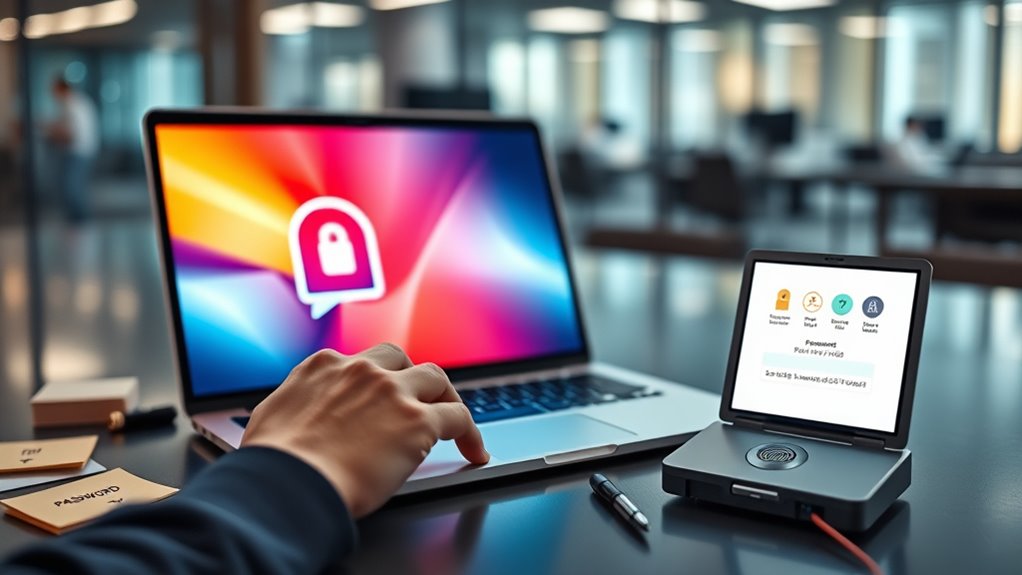
A password manager is an essential tool for keeping your online accounts secure and organized. It helps you generate, store, and retrieve complex passwords without the hassle of remembering each one. But with so many options out there, you might wonder if they’re truly safe and whether you need one at all. The good news is that a well-designed password manager can considerably enhance your online security, especially when it employs robust encryption protocols to protect your data. Encryption protocols are the backbone of their security, ensuring that your passwords are stored in an unreadable format. When you save a password, it’s encrypted locally on your device with a master password that only you know. Even if someone were to access the stored data, they wouldn’t be able to decipher it without your master password. This layer of encryption makes it exceedingly difficult for hackers to compromise your information, providing peace of mind.
A password manager encrypts your data locally with a master password, keeping your information secure from hackers.
Another important factor to think about is user interface design. A good password manager should have an intuitive and simple interface that makes managing passwords straightforward. If the user interface is cluttered or confusing, you might avoid using the tool altogether, defeating its purpose. The best password managers prioritize ease of use, guiding you seamlessly through creating, saving, and autofilling passwords. When the interface is well-designed, it reduces the chance of mistakes, such as saving passwords in insecure locations or forgetting to update them. It also makes it easier to organize and categorize your passwords, enabling quick access when you need it. Additionally, choosing a password manager that employs robust encryption protocols ensures that your data stays private and protected from potential breaches.
Frequently Asked Questions
Can Password Managers Be Hacked?
Password managers can be hacked, but it’s rare thanks to strong cybersecurity risks and advanced password encryption. Most reputable managers use end-to-end encryption, meaning your passwords stay secure even if a breach occurs. To stay safer, choose a trusted provider, enable two-factor authentication, and keep your software updated. While no system is completely foolproof, a good password manager considerably reduces your vulnerability compared to reusing passwords or storing them insecurely.
Are Free Password Managers as Secure as Paid Ones?
Imagine a locked door—whether free or paid, both aim to keep intruders out. Free password managers often have similar security vulnerabilities as paid ones, so you shouldn’t assume they’re less safe. However, paid versions usually offer enhanced user convenience with extra features and dedicated support. Ultimately, both can be secure if you choose reputable providers and maintain good security practices. Your choice hinges on balancing cost, convenience, and trust.
What Happens if I Forget My Master Password?
If you forget your master password, you typically can’t access your stored passwords, but some password managers offer master password recovery options or alternative access methods. You should check if your manager provides these features before setting one up. Without them, regaining access can be impossible, so it’s vital to choose a password you remember or keep it in a secure place. Always enable recovery options where available to avoid losing your data.
Do Password Managers Store Passwords Online or Locally?
Most password managers store your passwords either locally on your device or securely in the cloud, depending on the service. They use strong encryption methods to protect your data during storage and data synchronization, ensuring your passwords stay safe across devices. When stored online, your passwords are encrypted before transmission, maintaining security. If stored locally, your data remains on your device, but syncing features enable secure access across multiple devices.
How Often Should I Update My Stored Passwords?
You should update your stored passwords regularly, ideally every three to six months, based on password change frequency recommendations. Follow password expiration policies when available, and change your passwords immediately if you suspect a breach or compromise. Regular updates reduce the risk of unauthorized access. Using a password manager makes this easier since it can remind you to update passwords and generate strong, unique ones for each account.
Conclusion
Imagine a vault of endless keys, each one shimmering with your secrets, protected behind a fortress of encryption. A good password manager acts like that vault—keeping your digital world secure and accessible only to you. While no system is foolproof, using one means you’re gently locking away your sensitive info, so you don’t have to carry it all in your head. Trust in it, and breathe easier as your digital life stays safe behind an invisible shield.