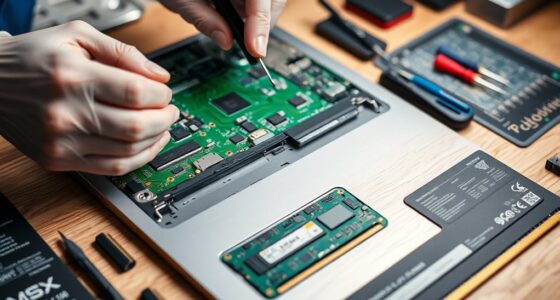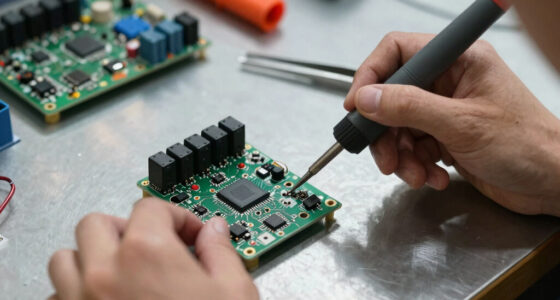
Understanding computer specs helps you pick the right device for your needs. Key factors include the processor’s speed and cores, which affect how fast tasks run and multitasking. The GPU determines graphics quality, crucial for gaming or editing. RAM and storage influence how smoothly programs operate and how quickly files load. Display refresh rates improve visual smoothness, especially in videos and games. Exploring these details guarantees you select a device that matches your activities— continue to learn more about each component’s role.

Get workout gear delivered free — and shop member deals
- Fast, free delivery on millions of items
- Access to Prime Big Deal Days deals on October 6–7
- Prime Video, Amazon Music and more included
Key Takeaways
- CPU speed (GHz) and cores determine how quickly and efficiently your computer handles tasks.
- GPU specifications, including model and VRAM, affect graphics rendering and visual performance.
- RAM capacity and storage type (SSD vs. HDD) influence multitasking and system responsiveness.
- Display refresh rates impact the smoothness of visuals, especially in gaming and video editing.
- Matching specs to your needs ensures optimal performance for activities like gaming, creative work, or general use.

Have you ever wondered what those numbers and terms in a computer’s specifications really mean? When shopping for a new device or trying to upgrade your current one, it’s easy to get overwhelmed by the jargon. Let’s focus on some key aspects that reveal how well a computer will perform and whether it’s suited to your needs.
First, consider the processor, often called the CPU. Processor performance is essential because it determines how quickly your computer can handle tasks. Think of it as the brain of your machine. The processor’s speed is usually measured in gigahertz (GHz), and higher numbers generally mean faster performance. However, it’s not just about clock speed; the number of cores also plays a significant role. More cores allow your computer to process multiple tasks simultaneously, making it better for multitasking and demanding applications. For example, a quad-core processor can handle more operations at once than a dual-core, leading to smoother performance when running large programs or multiple applications.
Graphics capabilities are another fundamental factor, especially if you’re into gaming, video editing, or 3D rendering. The graphics card, or GPU, determines how well your computer renders images, videos, and animations. A powerful GPU can handle high-resolution graphics and complex visual effects without lag. When evaluating graphics capabilities, look at the GPU model and VRAM (video RAM). A dedicated graphics card with ample VRAM offers better performance than integrated graphics, which share memory with the CPU. For gaming or creative work, investing in a computer with a robust GPU makes a noticeable difference in visual quality and responsiveness.
Memory (RAM) also affects overall performance, especially in tandem with processor performance. More RAM allows your computer to run more applications simultaneously without slowing down. For most users, 8GB is the minimum, but 16GB or more is ideal for intensive tasks like video editing or gaming. Storage type matters too; SSDs (solid-state drives) are faster than traditional HDDs, reducing load times and making your system more responsive.
Additionally, understanding the importance of high refresh rates in displays can help you choose a monitor that complements your computer’s specifications for activities like gaming or video editing.
In essence, understanding these specifications helps you match your needs with the right computer. If you prioritize fast processing and smooth multitasking, look for a CPU with high clock speeds and multiple cores. If visual performance matters, invest in a system with a dedicated GPU suited to your activities. By decoding these specs, you’ll make smarter choices and get a machine that truly supports what you want to do.
gaming laptop with high GPU VRAM
As an affiliate, we earn on qualifying purchases.
As an affiliate, we earn on qualifying purchases.
Frequently Asked Questions
How Do I Compare Specs Between Different Computer Brands?
To compare specs between different brands, focus on hardware compatibility and brand reputation. Check if the components meet your needs, like processor speed and RAM. Research each brand’s reliability and customer reviews to gauge quality. Look at warranty options and after-sales support too. This helps you choose a brand that offers dependable hardware and good service, ensuring your investment lasts and performs well over time.
What Is the Significance of a Computer’s Form Factor?
The significance of a computer’s form factor lies in its impact on hardware compatibility and portability. You should choose a form factor that fits your needs, whether it’s a compact laptop for portability or a larger tower for expandability. The right form factor guarantees your hardware components work seamlessly together and suits your portability considerations, making your overall experience more efficient and convenient.
How Does RAM Influence Overall System Performance?
Ever notice how your computer suddenly feels sluggish when multitasking? That’s RAM at work. Your RAM capacity determines how much data your system can handle at once, while RAM speed influences how quickly it processes that data. More RAM or faster RAM means smoother performance, faster response times, and less lag. Upgrading these specs helps your system run efficiently, especially when using demanding applications or browsing multiple tabs.
What Should I Prioritize for Gaming Versus Professional Work?
For gaming, prioritize a powerful GPU, ample RAM, and fast storage to guarantee smooth gameplay. For professional work, focus on a high-performance CPU, sufficient RAM, and reliable hardware compatibility for software requirements. Always check upgradeability options to extend your system’s lifespan. Balancing these factors helps you get the best performance tailored to your needs, whether gaming or professional tasks, while making sure your hardware remains flexible for future upgrades.
Are Higher Specs Always Better for My Specific Needs?
Higher specs aren’t always better for your needs. Think of performance optimization: if your tasks are basic, upgrading to top-tier components won’t boost performance much. Instead, focus on balancing your current specs with upgrades that address your specific use—gaming or professional work. Consider upgrade considerations carefully, as more powerful parts may not improve your experience if they’re unnecessary. Always match specs to your actual workload for the best results.
As an affiliate, we earn on qualifying purchases.
Conclusion
So, after all that, you now know what those specs really mean. Yet, despite understanding every detail, you might still find yourself overwhelmed or confused. It’s ironic how the more you learn, the more you realize that specs aren’t the whole story. Sometimes, all that technical jargon can distract from the simple truth: what truly matters is how well your computer works for you. So, don’t get lost in the numbers—sometimes, experience beats specs every time.
As an affiliate, we earn on qualifying purchases.
high refresh rate gaming monitor
As an affiliate, we earn on qualifying purchases.
As an affiliate, we earn on qualifying purchases.
Fall Picks
fall essentials
As an affiliate, we earn on qualifying purchases.