
If your computer is slowing down, crashing often, or lagging during essential tasks, it’s a clear sign you need an upgrade. Outdated hardware, like insufficient RAM or aging hard drives, can limit your system’s speed and stability. Compatibility issues with new software and security vulnerabilities further highlight the need for an upgrade. If these problems sound familiar, keep going to discover more signs that indicate it’s time for a fresh start with your computer.
Key Takeaways
- Your computer frequently slows down or struggles with multitasking and resource-intensive tasks.
- You encounter frequent crashes, errors, or system freezes during regular use.
- Software updates are no longer compatible or available, causing security and performance issues.
- Hardware components like RAM or hard drives are outdated, limiting speed and efficiency.
- Your system no longer receives support or security updates, increasing vulnerability and compatibility problems.
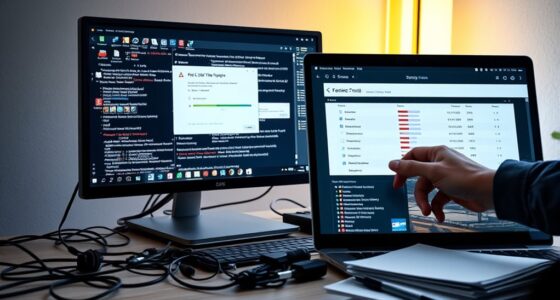
If your computer is slowing down or struggling to keep up with your tasks, it’s a clear sign you might need an upgrade. Over time, hardware bottlenecks can develop, meaning one component, like your CPU or RAM, can’t keep pace with the demands of newer applications or multitasking. When this happens, your system’s performance dips, and tasks that used to run smoothly now feel sluggish. You might notice delays when opening programs, lag during video editing, or long load times for files. At the same time, outdated software can compound the problem. As software developers release updates, they often optimize for newer hardware and include features that aren’t compatible with older operating systems or drivers. Running outdated software means you’re not taking advantage of performance improvements, security patches, or new functionalities that could help your system run more efficiently. If you’re still using an aging operating system, you might also encounter compatibility issues that slow down your workflow or expose your system to vulnerabilities.
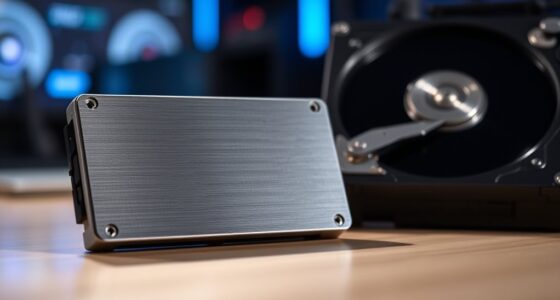
Another sign it’s time to upgrade is when you start experiencing frequent crashes or errors. These issues often stem from hardware bottlenecks, where components can’t support the latest software requirements, or from outdated drivers that no longer work well with current updates. If your system freezes or restarts unexpectedly, it’s a strong indication that your hardware might be reaching its limits or that the software environment needs a refresh. You may also find yourself waiting longer than usual for tasks to complete, especially when handling large files, gaming, or running resource-intensive programs. This slowdown could be due to insufficient RAM or an aging hard drive, which can’t process data at the speed modern applications demand. Upgrading to modern hardware components like an SSD or additional RAM can significantly improve performance.
Additionally, if your computer no longer supports the latest operating systems or software updates, it’s a clear sign you’re overdue for an upgrade. Software developers stop supporting older systems because they can’t handle the new features or security measures efficiently. This leaves your system vulnerable to security threats and incompatible with new applications. Upgrading hardware, such as replacing your hard drive with a solid-state drive (SSD) or increasing your RAM, can alleviate bottlenecks and boost performance. In many cases, a fresh installation of updated software or an operating system can breathe new life into your machine, but if hardware bottlenecks are the root cause, those upgrades are essential for sustained performance.
Frequently Asked Questions
How Often Should I Consider Upgrading My Computer?
You should consider upgrading your computer every 3 to 5 years to guarantee ideal hardware compatibility and a smooth user experience. If your device becomes sluggish, crashes, or can’t support new software updates, it’s a clear sign. Regular upgrades keep your system secure and efficient, so don’t wait until performance drastically declines. Staying proactive helps you enjoy the latest features and maintain productivity without frustrations.
What Are the Cost Benefits of Upgrading Versus Replacing?
Imagine catching a sale right when your computer slows down—it’s no coincidence. Upgrading can offer better performance and energy efficiency, which makes the cost analysis worthwhile. While replacing might seem costly upfront, it often leads to long-term savings through fewer repairs and lower energy bills. Overall, upgrading your existing device can be more economical, helping you save money over time while enjoying improved speed and reliability.
Can Upgrading Hardware Improve My Computer’s Lifespan?
Yes, upgrading hardware can definitely extend your computer’s lifespan. When you guarantee hardware compatibility and follow proper upgrade procedures, you can boost performance and fix issues without replacing the entire system. Upgrading components like RAM, SSD, or graphics cards keeps your computer running smoothly and delays obsolescence. Just make sure to research compatibility and follow the correct upgrade procedures to maximize these benefits and get the most out of your device.
How Do Software Updates Impact Hardware Performance?
Software updates can boost hardware performance by improving software compatibility, but they can also expose hardware bottlenecks. While updates often optimize system efficiency, outdated hardware may struggle to keep up, causing lag or crashes. You stay current, but your hardware might not. To truly enhance performance, balance timely software updates with hardware upgrades, ensuring your system runs smoothly without bottlenecks or compatibility issues.
What Are Eco-Friendly Options for Disposing of Old Computers?
You should explore eco-friendly disposal options for your old computer by participating in recycling programs offered by manufacturers or local recycling centers. These programs guarantee your device is properly recycled, preventing harmful materials from harming the environment. Avoid throwing it in the trash. Instead, opt for eco-friendly disposal methods that reduce e-waste and promote sustainability, giving your old device a new life or ensuring responsible disposal.
Conclusion
If your computer’s slowing down or acting up more often, it might be whispering that it’s ready for a refresh. Don’t wait for it to become a real hassle—sometimes, a gentle nudge towards an upgrade can keep things running smoothly and make your day easier. Trust your device’s subtle hints, and consider an upgrade before it becomes a bigger obstacle. A fresh computer could be just what you need to stay productive and stress-free.