
If you’re always on the move, a tablet might suit you better because it’s lightweight, easy to carry, and great for quick notes, sketches, and highlighting texts. However, if you need to run complex software or handle larger files, a laptop offers more power and versatility, though it’s bulkier. Consider your daily routine and work type—stick with a tablet for simplicity or opt for a laptop for more demanding tasks. Keep reading to find the best option for your studies.
Listen free for 30 days with Audible
Thousands of audiobooks and originals — cancel anytime.
As an affiliate, we earn on qualifying purchases.
Key Takeaways
- Choose a tablet for lightweight portability and quick note-taking during classes or outdoor study sessions.
- Opt for a laptop if you need powerful software, multitasking, and handling complex coursework on the go.
- Consider battery life: tablets often last longer, making them ideal for all-day use without frequent charging.
- Think about software compatibility: laptops support broader applications necessary for research and project work.
- Balance your needs for portability, note-taking, and software requirements to select the best device for your academic routine.
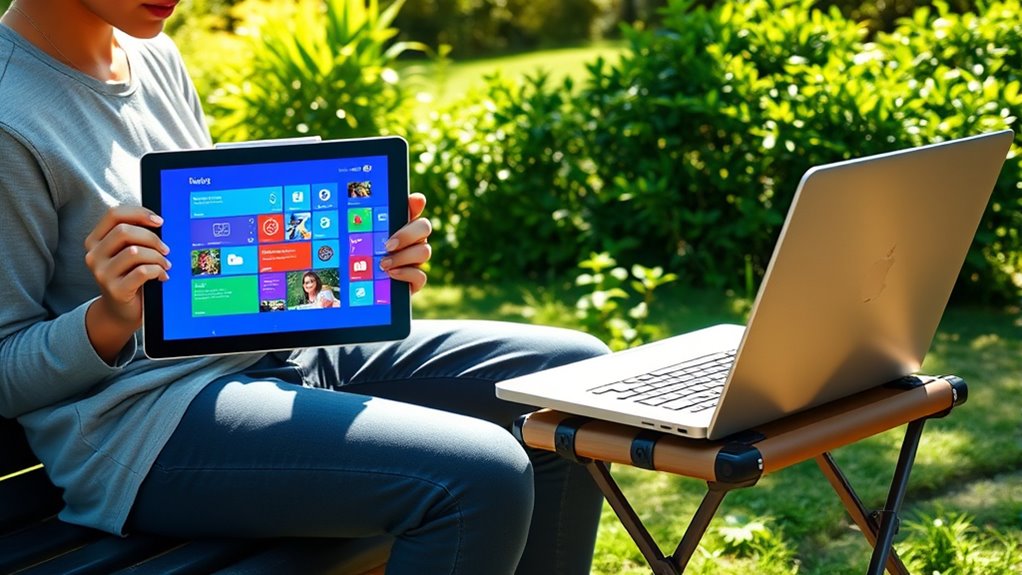
Choosing between a tablet and a laptop depends on your specific needs and how you plan to use the device. As a student on the go, you need something portable, versatile, and capable of handling your academic tasks efficiently. When it comes to digital note taking, each device offers benefits, but understanding their strengths can help you decide. Tablets excel at quick, intuitive note taking with stylus support, making them perfect for jotting down ideas, diagrams, or highlighting texts during lectures. Many tablets come with apps tailored for digital note taking, allowing you to organize your notes seamlessly and even convert handwritten notes into text. However, if you rely heavily on software compatibility—such as specific educational platforms, complex research tools, or productivity suites—you might find laptops more accommodating. Laptops generally support a broader range of software, including full-featured programs like Microsoft Office, Adobe Creative Suite, or specialized scientific applications, which are often essential for certain coursework.
Choosing between a tablet and a laptop depends on your specific needs and how you plan to use the device.
Furthermore, consider how you plan to use your device for studying and productivity. Tablets tend to be lighter and more compact, fitting easily into backpacks or even large pockets, making them ideal for quick notes between classes or studying outdoors. Their touchscreens facilitate digital note taking and drawing, but they may lack the processing power or compatibility for more intensive tasks. Laptops, on the other hand, can be bulkier, but they provide a more robust platform for multitasking, running multiple applications simultaneously, and handling larger files. Their hardware typically supports a wider array of peripherals, like external monitors, keyboards, and storage devices, enhancing productivity when working on assignments or projects.
Battery life is another consideration. Many tablets offer impressive battery performance, allowing you to use them all day without plugging in, especially if your activities are primarily note taking or reading. Laptops, while improving in battery efficiency, often require more frequent charging, especially when running resource-intensive applications. If your schedule involves back-to-back classes with minimal downtime, a tablet might serve you better for quick tasks. Conversely, if your coursework demands extensive typing, research, or multimedia editing, a laptop might be the more practical choice. Additionally, some tablets now support external keyboards and other peripherals that can boost their functionality for more complex tasks.
Ultimately, your decision hinges on balancing portability, software needs, and the type of work you do most often. If digital note taking and portability are your priorities, a tablet could be the ideal companion. However, if you need broad software compatibility and a more powerful device for complex tasks, a laptop may serve you better. Both devices have their unique advantages, so consider how each aligns with your academic routines and preferences to make the best choice.
best tablet for students with stylus
As an affiliate, we earn on qualifying purchases.
As an affiliate, we earn on qualifying purchases.
Frequently Asked Questions
Which Device Has Better Long-Term Durability?
You’ll find that laptops generally have better long-term durability, especially with their sturdy build and thicker screens. They’re more resistant to daily wear and tear, especially if you use protective accessories like cases or keyboard covers. Tablets, with their delicate screens and lightweight design, can be more prone to damage over time. To maximize durability, invest in protective gear and handle your device carefully, regardless of whether you choose a tablet or laptop.
Are There Any Specific Accessories Recommended for Each Device?
Imagine you’re stepping into a world of endless possibilities—here’s what you need: a protective case for your device to guard against life’s mishaps and a stylus for precise note-taking and drawing. Make sure your tablet’s stylus is compatible, so you don’t miss out on its full potential. Investing in these accessories makes your device more durable and versatile, keeping you ready for any academic adventure on the go.
How Do Battery Life Differences Impact Daily Use?
Battery longevity substantially impacts your daily use, especially when you’re on the go. Tablets typically offer better power efficiency and longer battery life, letting you study or browse without frequent recharges. Laptops may have shorter battery longevity, so you’ll need to plan for regular charging. Choosing a device with strong power efficiency ensures you stay productive longer, making it easier to manage your studies without worrying about running out of power during busy days.
Can Both Devices Support All Types of Educational Software?
Like David facing Goliath, you might wonder if both devices can handle all educational software. Laptops generally support a wider range of educational software, offering greater device versatility. Tablets excel in portability but may have limitations in compatibility, especially with complex applications. If you need seamless educational software support, a laptop’s versatility makes it the stronger choice, ensuring you’re prepared for any challenge your coursework throws your way.
Which Device Offers Better Security Features for Student Data?
You’ll find that laptops generally offer better security features for your student data. They often support advanced cloud security measures and data encryption options, protecting your information more effectively. Tablets may have some security features, but laptops typically provide robust firewalls, multi-factor authentication, and encryption tools. By choosing a laptop, you guarantee your data remains safer against cyber threats, especially when accessing sensitive educational materials on the go.
lightweight student laptop with long battery life
As an affiliate, we earn on qualifying purchases.
As an affiliate, we earn on qualifying purchases.
Conclusion
So, whether you choose a tablet or a laptop, one thing’s certain—you’ll always find a way to wish for the other. Maybe a tablet’s portability isn’t enough when you need serious power, or a laptop’s size makes it hard to carry around. Ironically, your perfect study companion might just be the one that leaves you wanting more. After all, in the world of students on the go, no device truly has it all—except perhaps, the endless pursuit of the right one.
digital note taking tablet for students
As an affiliate, we earn on qualifying purchases.
As an affiliate, we earn on qualifying purchases.
portable laptops for college students
As an affiliate, we earn on qualifying purchases.
As an affiliate, we earn on qualifying purchases.
Flea & tick season Picks
flea and tick prevention
As an affiliate, we earn on qualifying purchases.