
TL;DR

Get workout gear delivered free — and shop member deals
- Fast, free delivery on millions of items
- Access to Prime Big Deal Days deals on October 6–7
- Prime Video, Amazon Music and more included
Smart fitness trackers are wearable devices that use sensors and software to estimate activity, heart rate, sleep, and workout data. They can help you notice patterns and stick with routines, but readings vary by metric, fit, and movement, so use trends as clues and discuss health concerns with a qualified professional.
Your watch says you slept badly, but you woke feeling fine. Should you trust it? Smart fitness trackers can turn steps, heart rate, sleep, and workouts into tidy charts, yet those numbers are estimates shaped by sensors, software, and how you wear the device.
This guide explains what trackers measure, which readings tend to work best as trends, and what to check before you buy. You’ll also get a simple way to match a device to your routine, phone, budget, and comfort.
Use step counts and resting heart-rate trends as patterns over time; treat calorie estimates, sleep stages, and intense-workout readings more cautiously.
Choose built-in GPS if you want phone-free route recording; connected GPS may be enough if you already carry your phone.
Compare comfort, charging habits, phone compatibility, subscription costs, and privacy controls before buying.
Treat readiness and recovery scores as prompts for reflection, not standardized medical measurements.
If symptoms concern you, seek guidance from a qualified health professional instead of relying on a tracker reading.
What smart fitness trackers measure—and how they do it
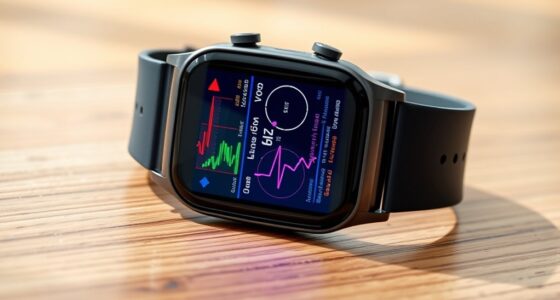
Smart fitness trackers are wearable devices—often watches, bands, or rings—that combine sensors with software to estimate activity, health metrics, sleep, and workout performance. A step count, for instance, is inferred from repeated movement patterns; it is not a direct count of every footfall. A watch may shine light into the skin and interpret the reflected signal as a pulse, while motion and heart-rate changes help it estimate sleep timing. Each number is therefore an interpretation of signals, not a measurement made in the same way as a dedicated clinical instrument.
Common features include steps, active minutes, estimated calories, heart rate, sleep timing, and workout summaries. Some models add GPS, skin temperature, blood oxygen, or heart-rate variability. These extras can be useful when they answer a question you actually have: GPS can map a route, for example, while a long history of activity can reveal whether your walking routine is becoming more consistent. More metrics also mean more estimates to interpret, and a feature’s presence does not guarantee that it is equally useful for every person or situation. Availability varies by model, country, and software update, so check the maker’s current specifications.
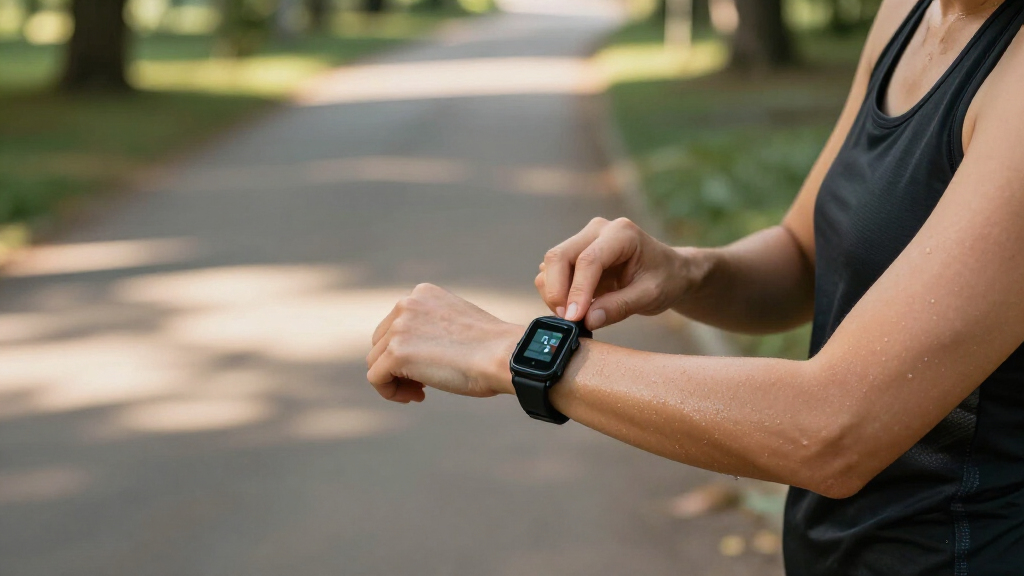
For example, a lunchtime walk may show your route, pace, and pulse in one app. That combination can help you compare similar walks over time and notice changes in your routine. If you mainly want a simple record of steps and broad activity patterns, advanced training charts may add complexity without changing what you do. The best feature set is the one that helps you answer a practical question often enough to justify wearing and charging the device.
Which tracker readings you can use as useful clues
Smart fitness trackers are most useful for following consistent patterns, such as whether your daily steps rise or your resting heart rate shifts over several weeks. A trend can smooth out the effect of one unusual day, which makes it more useful for reflecting on habits than treating one number as a verdict. Step counts and resting heart-rate trends may be useful for many users, while calorie estimates, sleep stages, and readings during intense movement are often less dependable. Accuracy changes with the device, activity, and fit, so compare like with like—for example, similar walks recorded with the same tracker.
Optical heart-rate sensors shine light through your skin and estimate your pulse from the reflected light. A loose band, cold skin, or fast arm movement can muddy the signal, a bit like trying to count raindrops on a bouncing umbrella. During a hard interval session, an odd spike may reflect a noisy reading rather than a meaningful change in your body. Check the fit and context, and look for a repeated pattern before drawing conclusions; if precise heart-rate data matters for a specific training or health reason, ask a qualified professional what measurement approach is appropriate.
Sleep features use signals such as movement and heart rate to estimate when you fell asleep and woke. Broad timing can help reveal a routine, such as going to bed later on work nights, because that pattern is something you can compare with your own experience and adjust. Detailed sleep-stage scores rely on indirect signals, though, so they may not explain why you feel rested or tired. If a score conflicts with how you feel, treat the mismatch as a reason to reflect on your routine, not proof that your own experience is wrong.
Calories have their own limits: a tracker estimates energy use from your data and its software rather than directly measuring every calorie you use. The result can look precise while still carrying substantial uncertainty, which makes it a poor number to chase as an exact daily target. If it seems far from your experience, use it only as a rough comparison within the same device and similar conditions. Changes in the estimate may help you notice broad shifts in activity, but they do not tell you exactly what to eat or whether a workout was worthwhile.
Match GPS, battery, and comfort to your real routine
Compare the tradeoffs before you choose: similar-looking devices can differ in comfort, GPS, battery life, and app costs. Imagine you walk to work, take weekend hikes, and want to sleep with your tracker on; those details determine which features will stay useful after the novelty wears off. Built-in GPS can record a route without a phone, but using it often may drain the battery faster and mean more charging. Connected GPS can preserve battery or reduce device cost, but it depends on having a compatible phone with you. A feature’s value depends on how often you will use it and what inconvenience comes with it.
| Feature | What it helps you do | What to check |
|---|---|---|
| Built-in GPS | Record routes without carrying your phone | Battery use and current model support |
| Connected GPS | Use your phone to track outdoor routes | Phone compatibility and whether you carry it |
| Sleep tracking | Review estimated timing and broad patterns | Comfort overnight and limits of stage estimates |
| Advanced reports | See longer histories, coaching, or extra summaries | Whether a subscription unlocks them |
A side-by-side check helps reveal practical tradeoffs, but specifications cannot tell you whether a strap rubs after an hour or whether the watch feels awkward in bed. If possible, try the fit before committing, especially if you plan to wear it overnight. Comfort matters because a device left on the bedside table cannot build the consistent record you wanted in the first place.
Choose a tracker by checking these five things
You can narrow your options by starting with your routine, then checking fit, phone support, cost, and privacy. This five-step check keeps a polished feature list from distracting you from the details that shape daily use. Each choice has a practical consequence: a tracker that is uncomfortable, incompatible, or costly to keep using may be less helpful than a simpler one you wear consistently. For example, if your main goal is recording outdoor runs, route tracking and battery life matter more than a long menu of wellness scores.
- Name your main use. Choose one or two priorities, such as walking, gym workouts, sleep timing, or phone-free runs. This helps you distinguish features that support a regular habit from features that look appealing but may go unused.
- Check the fit and basics. Compare wristband, watch, or ring styles, then review comfort, display, water guidance, and charging needs. If charging requires removing the device during the time you most want to track, the resulting gaps can make its patterns harder to interpret.
- Confirm phone compatibility. Check the operating-system requirements and whether the features you want work on your phone. Compatibility can affect everyday functions such as syncing, notifications, or route tracking, so a device that pairs successfully is not necessarily a good match for every feature you expect.
- Count the full cost. Look for subscriptions that gate coaching, detailed analytics, or longer historical reports. Compare what is included over time, since a lower upfront price can be offset by recurring fees for the functions you plan to use.
- Review data controls. Find out what the app collects, whether it shares or stores health and location data in the cloud, and whether you can export or delete it. These settings affect how much control you retain over a record that may build up over months or years.
Suppose two watches cost about the same: one has built-in GPS but needs frequent charging; the other relies on your phone but lasts longer. If your phone is already in your pocket for every walk, the simpler option may fit your routine better. If you often leave your phone behind, the extra charging may be a reasonable tradeoff for independent route recording.
Use scores for motivation, not medical decisions
Wellness and recovery scores are summaries built from measurements and software, not standardized clinical measures. Heart-rate variability, resting heart rate, breathing rate, skin temperature, and blood oxygen appear on some devices, but an app score does not diagnose illness. Manufacturers may use different sensors, algorithms, and definitions, so a score from one brand may not compare neatly with another. Even within one device, a score can shift because of ordinary variation or measurement conditions, which makes it more useful as context for reflection than as a pass-or-fail judgment.
Trackers can help people notice patterns, such as a run of shorter sleep or a change in resting pulse, and use those observations to reflect on their routine. A readiness score might encourage you to choose an easy walk after a poor night, but you should also pay attention to how you feel. This is a tradeoff: a simple score can make a decision feel easier, while relying on it too heavily can obscure other useful information, including your energy, symptoms, and schedule. The score can start a useful question; it cannot answer every one.
A tracker reading is a clue from a consumer device, not a diagnosis and not a substitute for how you feel.
If a reading surprises you, check the fit and see whether the pattern repeats. If you have concerning symptoms, judge them by how you feel and talk with a qualified health professional; a tracker reading cannot rule out a problem. If you have a pre-existing condition or plan to use a device to guide exercise, ask a professional who knows your circumstances.
Make a tracker part of your routine without letting it run the day
A tracker works best when it supports a routine you already value, rather than turning every number into a score to chase. Pick one gentle use for the first week, such as recording walks or noting your usual bedtime. A narrow starting goal makes it easier to learn whether the information changes a decision you care about. If you normally take the stairs after lunch, your step chart can help you see that habit add up across the week.
Some devices offer personalized coaching and activity suggestions based on your history. Those prompts can make a goal feel concrete, but they are generated from recorded data and cannot account for every reason your schedule, energy, or comfort changes. Adjust them when circumstances change; a quiet rest day does not need to become a failure in the app. A prompt is useful when it helps you make a choice, and easy to ignore when it does not fit your day.
Try reviewing trends once a week instead of checking your wrist all day. Notice what changed, whether the pattern fits your experience, and what small adjustment feels practical. Regular review gives you enough context to separate a lasting habit from a one-day fluctuation, without letting each alert shape your mood. The best tracker is the one whose numbers help you make a useful choice, then let you get on with your day.
Frequently Asked Questions
Are fitness trackers accurate?
Accuracy depends on the device and the metric. Trackers can help you follow consistent patterns, but calorie estimates, sleep stages, and readings during vigorous movement may be less dependable than a trend recorded under similar conditions.
Can a fitness tracker diagnose a health condition?
A consumer tracker is not automatically a medical device. A metric or score in an app does not make it suitable for diagnosis or treatment decisions; talk with a qualified health professional about symptoms or health concerns.
How does a tracker know when I’m asleep?
It estimates sleep from signals such as movement and heart rate. Sleep timing and broad patterns can be useful to review, while individual sleep-stage results are less certain.
Do I need a tracker with built-in GPS?
Built-in GPS helps record outdoor routes without your phone. If you already carry your phone, connected GPS may suit your walks or runs; check phone compatibility and how GPS affects battery life.
Do fitness trackers require a subscription?
Some brands charge for advanced features. Basic tracking may be included, while coaching, detailed analytics, or longer history reports can sit behind a subscription, so compare the full cost before buying.
Conclusion
Choose a tracker that feels comfortable, works with your phone, and measures the routines you care about. Use its steady patterns to support small choices, and leave medical questions to a qualified professional. Let the numbers point out the trail; you decide where your feet go.
Fall Picks
fall essentials
As an affiliate, we earn on qualifying purchases.